
At Raklet, we continue building with one goal in mind: making your community management experience smoother, more powerful, and more intuitive every day.
✨ What’s New at Raklet?
August brought a brand-new way to teach your members, a much clearer picture of who owes what, and automatic reminders before a membership ends.
Let’s dive into what’s new 🚀
🎓 Raklet Learning: Courses, Quizzes & Certificates
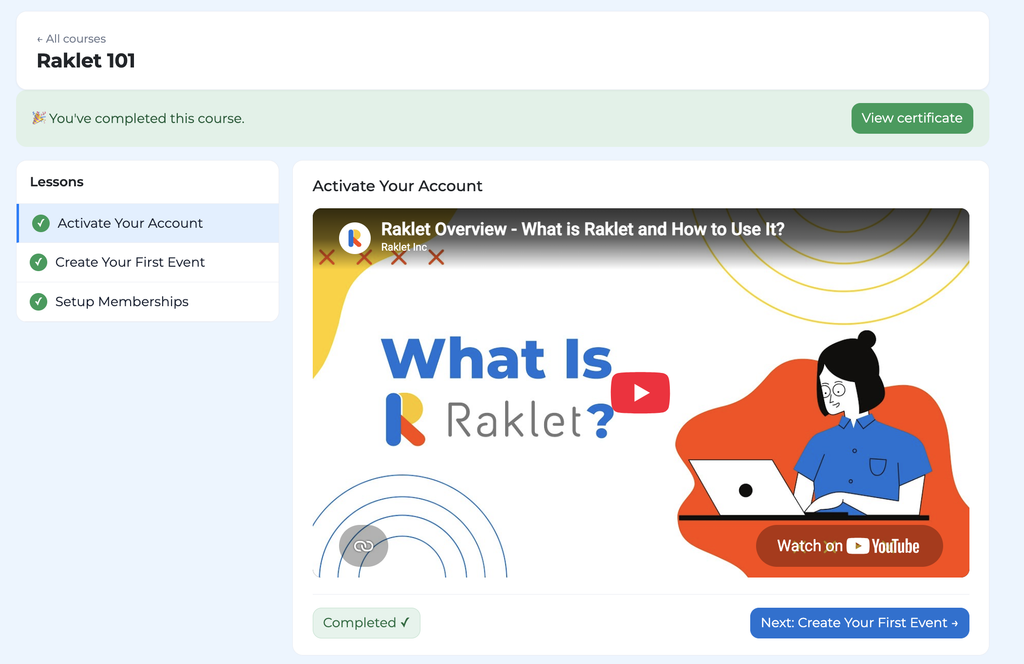
You can now build and run courses right inside Raklet. Create lessons, add quizzes, and let your members learn and earn certificates without leaving your platform.
What you can do:
- Build courses out of lessons with text, embedded video (YouTube, Vimeo, Zoom), or videos you upload directly
- Add quizzes with a pass threshold, and let members retry until they pass
- Decide how a course is completed: finish every lesson, or pass the quiz
- Issue certificates automatically, each with a unique serial number and a public verification page
- See who completed what with the Completion report, including sub-organizations, and export it to CSV
- Give members a clean course catalog and player in the member portal
Why it matters:
- Training, onboarding, and certification programs can live where your members already are.
- Server-graded quizzes and verifiable certificates give your credentials real weight.
- The completion report shows you exactly where each member stands — no spreadsheets needed.
Learn more about courses here: How to Create and Run Courses on Raklet?
💳 A Clearer Membership Ledger
We rebuilt how invoices and payments are shown on a member’s profile, so you can always tell which subscription each payment belongs to and spot a problem before it costs you a renewal.
What you can do:
- See each subscription’s own balance, invoices, and payments grouped together under it (turn on the New membership layout setting to try it)
- Tell Paid, Part paid, and Unpaid apart at a glance — the same logic your members see in their portal
- Open a sub-member’s invoices and payments straight from the primary member’s profile
- Let members pay part of an invoice from the portal, and see “Paid: £10 / £24” on the remainder
- Classify a payment as a membership fee or a registration fee, so registration fees can no longer be linked to the wrong subscription
- Split a single card charge into its membership and registration portions with the new Split action
- See a “Renewal not charged” entry on the member timeline whenever a renewal is skipped because the subscription was already in credit
Why it matters:
- Money linked to the wrong subscription is the number-one reason a member looks paid up while their renewal quietly stops. Now you can see it.
- Partial payments are no longer discarded, so members are never asked to pay the same money twice.
- Every skipped renewal leaves a trace you and your member can both read.
Learn more about subscription balances here: How to Use the Membership Section on a Contact Profile?
⏳ Waitlist Notifications for Sold-Out Events
The event waitlist now talks back. People who join get a confirmation, and the next person in line hears the moment a spot opens up.
What you can do:
- Send an automatic confirmation email when someone joins the waitlist
- Notify the next waitlisted person by email, with a direct link to register, as soon as a ticket is freed
- Trust that each spot is offered exactly once, to exactly one person, in order
- Avoid false alarms: no one is notified once ticket sales have closed
Why it matters:
- Waitlisted attendees no longer wonder whether their signup went through.
- Freed spots get filled instead of quietly going back on public sale.
- Your team doesn’t have to email people by hand when a registration is cancelled.
Learn more about the event waitlist here: How Does the Event Waitlist Work?
📋 Filter and Sort Your Applications
Running an approval queue just got easier. The Membership › Applications list now has proper filters, sorting, and a warning when an applicant skipped the payment step.
What you can do:
- Filter applications by status, plan, card-on-file, and date range
- Sort by status, date, name, or card-on-file
- See your active filters as removable chips, and share a filtered view via its URL
- Export exactly the applications you’ve filtered to
- Get a clear flag on any application submitted without a payment method — before you approve it and create an invoice nothing can charge
Why it matters:
- You can isolate pending applications in one click instead of scrolling through the whole list.
- Filtered exports save you from cleaning up spreadsheets afterwards.
- No more approving applications that will never be paid.
Learn more about managing applications here: How to Manage Pending Applications and Credit Card Details
📅 Membership End Reminders
Members shouldn’t be surprised when their plan runs out. Each membership plan can now email members automatically before their subscription ends; no manual campaign required.
What you can do:
- Turn on Membership End Reminders on any plan: free, one-time, monthly, or yearly
- Set up to three reminders, each a number of days before the end date (for example 30, 7, and 1 days out)
- Write a different email template for each reminder, so “30 days left” and “last day” can say different things
- Trust that a reminder is cancelled automatically if the member renews, cancels, or their end date changes
- Reach members on one-time and non-renewing plans, which previously couldn’t send any reminder at all
Why it matters:
- Members get a heads-up in time to renew, instead of finding out after access has already lapsed.
- Admins stop rebuilding the same “your membership is ending” campaign every cycle.
- One-time and fixed-term plans finally get the same automated communication as recurring ones.
Learn more about membership end reminders here: How to Set Up Membership End Reminders?
🏷️ Find Contacts With No Tags
Tags only work when everyone has one. The contact filter can now find the people who slipped through untagged — and the ones who have any tag at all.
What you can do:
- Filter for contacts whose tag field is unknown to surface everyone who has never been tagged
- Filter for contacts with any value in the tag field to see everyone who has at least one tag
- Save either filter as a segment and use it for imports, emails, or clean-up campaigns
Why it matters:
- Untagged contacts are invisible to every tag-based email and segment — now you can find and fix them in one go.
- Keeping your tag coverage complete makes every other filter and report more reliable.
- No more exporting to a spreadsheet just to spot the gaps.
Learn more about filtering contacts here: How to Filter Contacts in Your Raklet Account
🌅 A New Admin Dashboard That Starts With Your To-Do List
Your admin homepage has been rebuilt around one question: what needs you today? The new dashboard opens with a greeting that counts what’s waiting, then puts the tasks first and the numbers after.
What you can do:
- See up to three task cards the moment you log in; pending applications, past-due memberships, contacts with missing information, each linking straight to the filtered list
- Dismiss a task card for the day once you’ve handled it
- Check the month at a glance: new members, collected payments, active members, and your membership mix
- Read recent activity as plain sentences grouped by day, with logins rolled up into a single line
- Keep upcoming events, your setup checklist, and your last sent email one glance away in the right rail
- Use it comfortably on a wide monitor, a tablet, or a phone; the layout adapts to each
Why it matters:
- You start every session knowing exactly what to act on, instead of hunting for it across sections.
- Activity reads like a story, not a log of system keys.
- Everything the old dashboard showed is still there; just easier to find.
Learn more about the admin dashboard here: What’s on the Admin Dashboard?
🗺️ Put Your Directory on a Map
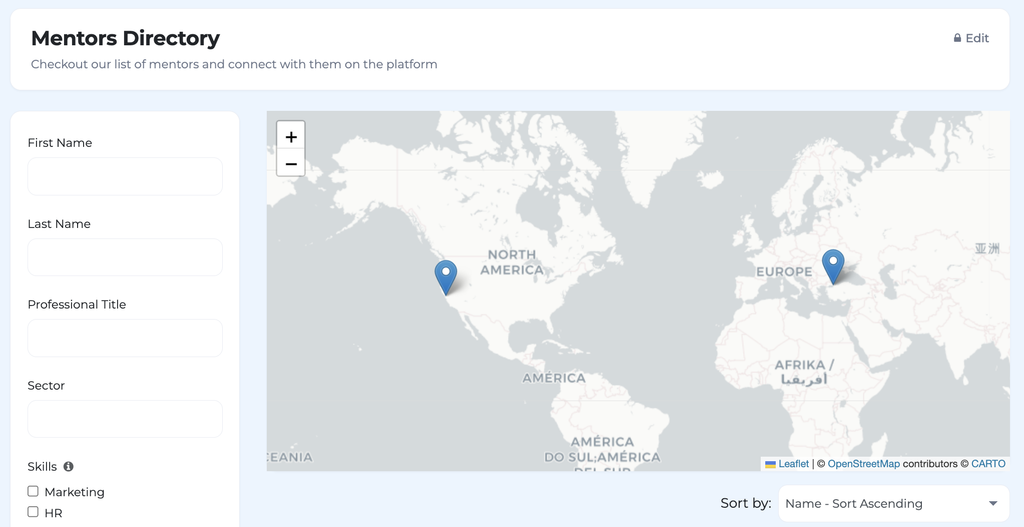
Your member directory can now show where your members are, not just who they are; ideal for chapter directories, mentor networks, and alumni maps.
What you can do:
- Switch on Show a map of matching contacts on any directory to render a clustered map above the results
- Enable it per directory, so a public alumni map and a members-only mentor list can behave differently
- Trust the privacy rules automatically, visitors who aren’t logged in see only public profiles, members see everyone except hidden profiles, and anyone who turns off address sharing drops off the map
- Show members’ social links and work website on their directory cards, and every selected display field on corporate rows
Why it matters:
- Location is one of the first things members look for when they want to connect locally.
- The map and the list always show the same audience, so there’s nothing extra to police.
- Richer directory cards make it easier for members to find and reach each other.
Learn more about directory maps here: How to Use Directory App?