

Last Updated: April 27, 2026
AMS software (short for Association Management System) is the operational platform that member-based organizations use to manage members, collect dues, run events, and keep communications flowing, all in one place.
If you’ve been searching for “what is AMS software” or “what does AMS stand for,” you’re in the right place. This guide explains how association management systems work, who they’re built for, and what questions to ask before you buy one. Raklet builds membership management software for member-based organizations, which gives us a front-row view of where association technology trips buyers up.
Key Takeaways
- AMS stands for Association Management System, purpose-built software for member-based organizations, distinct from a CRM.
- Core functions include member database management, dues collection, event registration, email communications, and reporting.
- AMS pricing typically starts around $50–$200/month for small associations and scales with member count and features.
- The most important buying question isn’t price: it’s whether the platform handles your specific membership model (tiered, chapter-based, individual, or organizational).
What Is AMS Software? (The Short Answer)
AMS stands for Association Management System. It’s a software platform designed specifically for trade associations, professional associations, nonprofits, and other member-based organizations that need to manage ongoing membership operations. An AMS isn’t a general-purpose tool that happens to handle members. It’s built around the membership lifecycle: joining, renewing, engaging, and eventually lapsing or rejoining.
The abbreviation matters because most people searching for this category use “AMS” rather than the full phrase. If you’ve seen references to “AMS software,” “AMS for associations,” or “what is an AMS,” you’re looking at the same category. The spelled-out form (association management system) is the formal name; AMS is how practitioners refer to it in conversation.
The shortest possible differentiation: an AMS handles your members, your dues, your events, and your communications. A CRM handles your sales pipeline and individual customer relationships. Most associations need one; larger organizations sometimes run both with an integration between them.
What does AMS stand for in nonprofit organizations? The term is the same across all association types: AMS means Association Management System whether you’re a trade association, a professional certification body, a chamber of commerce, or a nonprofit membership organization. The underlying functions vary slightly by org type (for example, nonprofits may weight fundraising higher than dues collection), but the category label is consistent.
What Does an AMS Actually Do? Core Features Explained
The easiest way to understand an AMS is to trace what happens from the moment someone applies to join your organization through their renewal (or lapse) years later. An AMS handles most of that lifecycle automatically. Here’s what the core feature set typically looks like.
Member Database and Self-Service Portal
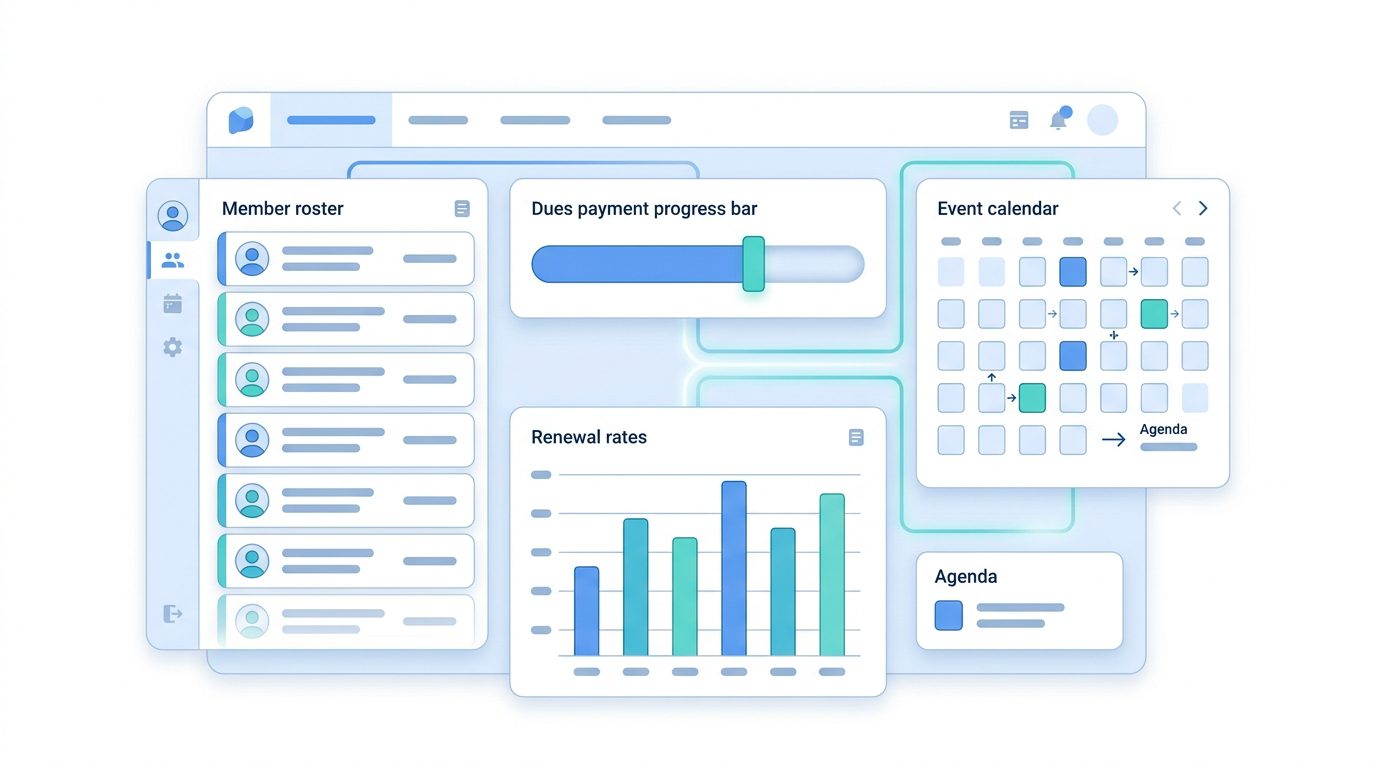
At the center of every AMS is a member database: a structured record of who belongs to your organization, what membership tier they hold, when they joined, when their dues are due, and what events or committees they’ve been involved with. Unlike a spreadsheet, the database is relational: member records connect to their payment history, event registrations, and email engagement.
Most platforms pair this with a self-service member portal where members can log in to update their contact information, download membership cards, register for events, or pay outstanding dues. The portal reduces staff workload by automating routine transactions like dues payments and event registrations, moving them out of email inboxes entirely.
Dues Collection and Renewal Automation
Dues management is where associations feel the sharpest operational pain before adopting an AMS. Tracking who has paid, who is overdue, and who needs a renewal reminder by hand is time-consuming and error-prone. According to Marketing General Inc.’s annual Membership Marketing Benchmarking Report (based on a survey of 450+ professional and trade associations), the median membership renewal rate is 84%, but first-year members renew at just 74%. That gap widens when renewals are tracked manually. An AMS automates the renewal sequence: it sends reminder emails at configured intervals before the expiration date, provides a payment link, processes the transaction, and updates the member record, without staff intervention for each renewal.
Most platforms support multiple membership tiers (individual, organizational, student, honorary), custom dues amounts per tier, and prorated membership periods for mid-year joins. Some platforms also support chapter-level dues split, where a portion of the national dues flows to a regional chapter automatically.
Event Registration and Payment Processing
Associations run events (annual conferences, webinars, workshops, networking dinners) and managing registration manually across spreadsheets and email threads is unsustainable past a certain scale. An AMS includes event registration tools that let you publish event listings, collect registrations with payment, issue confirmations, manage capacity limits, and pull attendance reports, all within the same system that holds your member records.
Because the event system is connected to the member database, you can offer member-priced registration automatically (the system recognizes who is a current member) and track event attendance as part of each member’s engagement history.
Email Communication and Engagement Tracking
Most AMS platforms include built-in email communication tools, not a full email marketing suite, but enough to send newsletters, renewal notices, event announcements, and targeted messages to specific member segments. Because the email tool connects to member records, you can segment by membership tier, chapter, join date, event attendance, or any other field in the database.
Engagement tracking sits on top of this: which members are opening emails, registering for events, or logging into the portal. Many platforms give staff a “member health score” or engagement index, which helps identify at-risk members before they lapse rather than after.
Reporting and Board Dashboards
Boards and executive directors routinely need membership growth reports, retention rates, revenue by category, and event attendance summaries. An AMS generates these from live data rather than requiring someone to manually compile spreadsheets before every board meeting. Most platforms include standard reports out of the box (membership counts, dues revenue, lapsed members) and configurable dashboards for staff and board roles.
Integrations: Accounting, Email, and Workflow Tools
No AMS works in a vacuum. Most organizations already have an accounting package (QuickBooks is common), an email platform (Mailchimp or Constant Contact), and possibly a website CMS. A well-evaluated AMS should integrate cleanly with the tools you already depend on, either through native connectors or an API/Zapier bridge for custom workflows.
The extent and reliability of integrations vary between platforms. Before selecting an AMS, map your current software stack and ask vendors specifically how data flows between their system and each tool you rely on. Bi-directional sync (changes in either system reflect in the other) is generally more reliable than one-way exports. If a vendor points to Zapier as the primary integration path, treat that as a yellow flag: Zapier-based connections require ongoing maintenance and can become costly as your trigger volume grows. They work, but they are not a substitute for a native connector.
AMS vs. CRM: What’s the Difference?
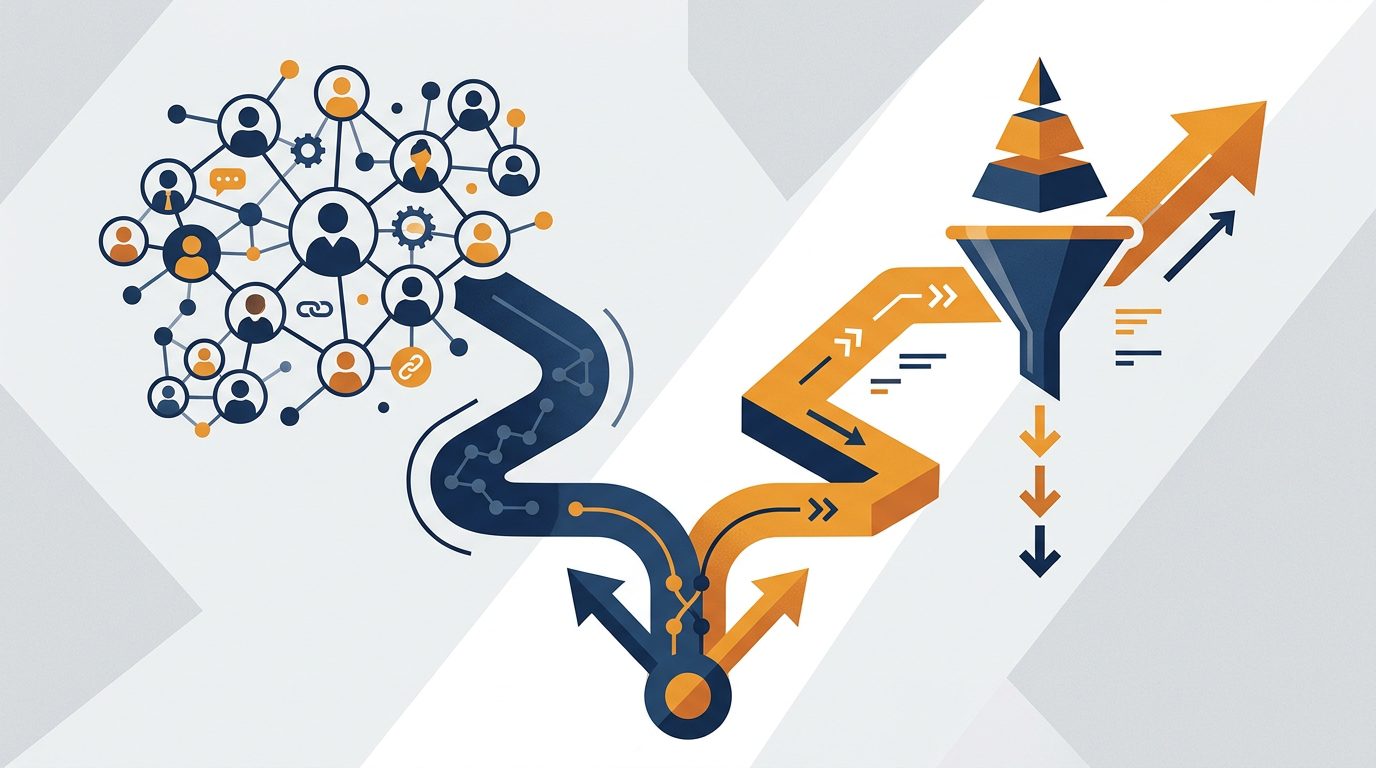
This is the question most association professionals wrestle with when they start evaluating software. CRM (Customer Relationship Management) software like HubSpot or Salesforce is built around managing individual relationships across a sales or service pipeline. An AMS is built around managing membership operations: joining, paying dues, attending events, renewing, and engaging with the organization over time.
The structural difference matters in practice. A CRM excels at tracking where a prospect is in a sales funnel, logging call notes, and forecasting revenue from deals in progress. It wasn’t designed to handle membership tiers, chapter management, annual renewal sequences, or member self-service portals; you can build those things on a CRM, but they require significant customization and ongoing maintenance.
An association management system, by contrast, comes with those workflows pre-built. It handles membership-specific logic natively: prorated dues for mid-year joins, member-price event registration, committee rosters, and renewal automation. The tradeoff is that an AMS generally has less flexibility for complex sales scenarios or custom CRM reporting than a purpose-built sales platform.
Most associations don’t need both systems. The typical scenario where organizations run a CRM alongside an AMS is a large trade association that has a substantial sponsorship sales operation: the CRM manages the sponsorship pipeline, and the AMS manages the member side. For the majority of professional associations, chambers of commerce, and nonprofit membership organizations, an AMS handles everything.
| Your Situation | What You Need |
|---|---|
| Managing membership tiers, dues, events, and renewals | AMS |
| Managing a sales pipeline, leads, and deals | CRM |
| Large association with both a member operation and a significant sponsorship sales team | AMS + CRM integrated |
| Early-stage association, fewer than 50 members, mostly manual processes | Spreadsheet or simple CRM until volume justifies AMS investment |
| Nonprofit focused primarily on fundraising, not membership | Donor management platform, not AMS |
If you’re evaluating platforms, our guide to best association management software covers a current comparison of leading AMS platforms across price tiers. And if you’re working with an outsourced management team, it’s worth understanding how association management companies typically integrate with (or replace) in-house AMS decisions.
Who Needs an Association Management System?

Not every organization needs AMS software, and the honest answer is that some groups are better served by simpler tools. The sector is substantial in scale: according to ASAE, there are nearly 67,000 trade and professional associations in the United States alone, part of a broader tax-exempt community of more than 1.6 million organizations. Here’s how to tell which category you fall into.
Organizations that typically benefit from an AMS:
- Trade associations: particularly those managing organizational memberships (company-level rather than individual), multi-level dues schedules, and annual conferences
- Professional associations and certification bodies: where membership tiers, credential tracking, and continuing education credits are central operations
- Alumni associations: managing large volumes of contact records, annual fund appeals, and event registrations for reunions
- Chambers of commerce: organizational memberships, member directories, event-heavy calendars, and local advocacy communications
- Clubs and societies with 50+ members and recurring dues: once the renewal cycle becomes too complex to manage by spreadsheet, an AMS typically pays for itself in staff time saved
Organizations that often don’t need an AMS yet:
- Informal groups under 25 members: a shared spreadsheet and a payment tool like Stripe or PayPal often suffice until volume grows
- Pure fundraising organizations without membership tiers: donor management platforms (Bloomerang, Little Green Light) are more appropriate than an AMS
- Sports leagues without structured membership tiers or recurring dues: registration-focused tools often fit better than a full AMS
AMS for Nonprofits
Nonprofits with a membership model (organizations that charge dues, offer member benefits, and run member-facing events) are a strong fit for an AMS. The overlap between “nonprofit” and “association” is significant: many nonprofit organizations are also membership-based. The key distinction is that AMS software is optimized for membership operations, not for grant tracking or donation-based fundraising.
If your nonprofit primarily raises funds through donations rather than membership dues, you’ll want a donor management platform. But if your nonprofit has tiered membership, annual renewals, and member-specific programming, the membership management software for nonprofits category, which overlaps substantially with AMS platforms, is the right place to start your search.
Some associations operate under a hybrid model: a small paid staff managing a large volunteer-run organization with chapters in multiple cities. If that describes your setup, look for AMS platforms that support chapter management natively, including chapter-level dues splits, chapter-specific event management, and chapter officer access roles.
Homeowners associations (HOAs) are a specific subset worth mentioning. While HOAs share some operational characteristics with member-based associations (recurring dues, resident databases, event management), purpose-built homeowners association software often serves them better than a general AMS, particularly for features like violation tracking, parking management, and amenity reservations that traditional AMS platforms don’t include.
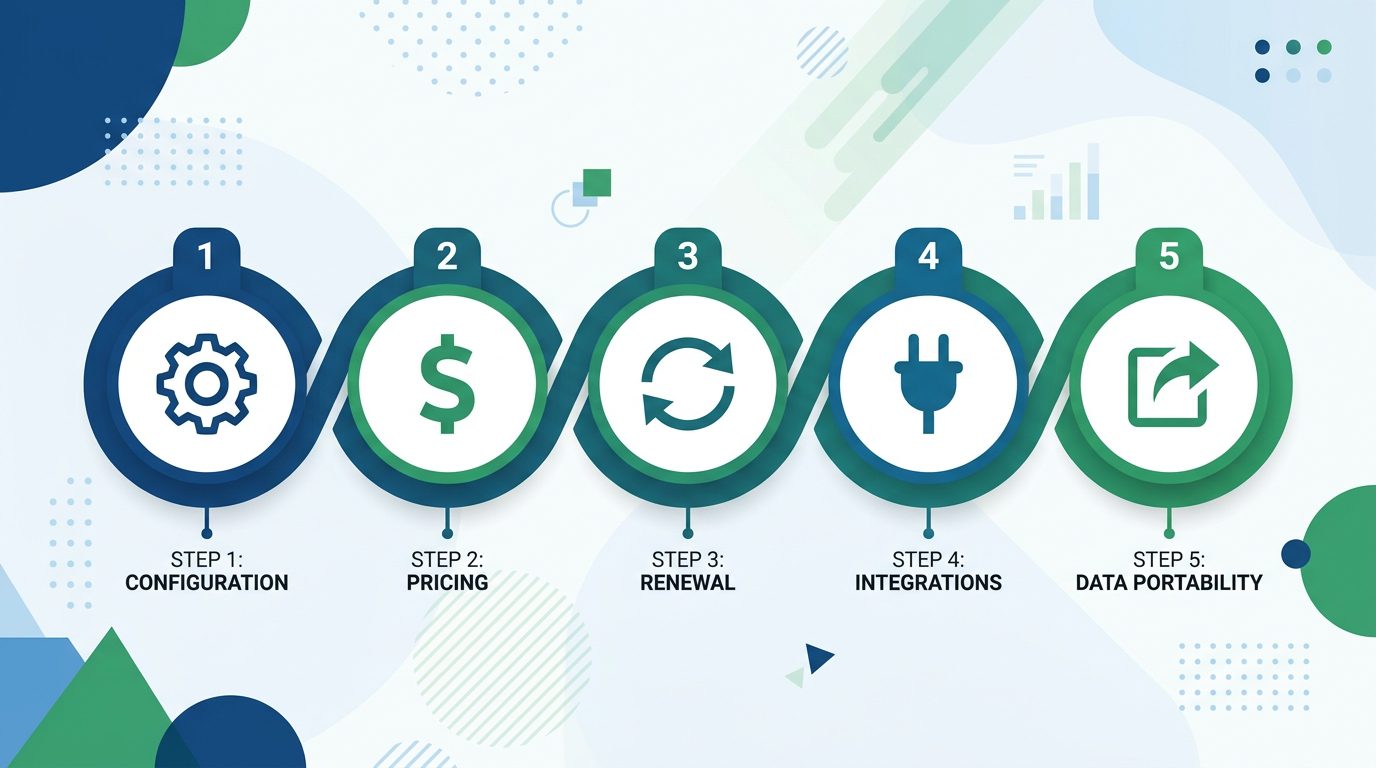
How to Evaluate AMS Software: 5 Questions to Ask Any Vendor
Every AMS vendor will tell you their platform handles everything your organization needs. The questions below cut through the sales pitch and surface the real differences between systems. Ask each of these before requesting a demo, and ask for a live demonstration of the answer, not a screenshot or a “yes” on a feature checklist.
1. Does it handle your specific membership model?
Membership models vary more than most people realize. Individual memberships, organizational memberships, tiered memberships (Gold/Silver/Bronze), chapter-based memberships, student rates, and honorary memberships all require different database structures and billing logic. Ask the vendor to walk you through exactly how your membership model would be configured, including what happens when a member changes tiers mid-year or when an organizational member wants to add an employee to the roster.
2. What is the total cost of ownership, including setup, data migration, and training?
The monthly subscription price is rarely the full cost. Implementation fees for data migration, initial setup and configuration, staff training, and ongoing support contracts can add substantially to the first-year cost. Ask for a complete first-year cost estimate, not just the per-month subscription rate. Ask specifically how data migration is handled: who does it, how long it takes, and what format your existing data needs to be in. Smaller associations with clean data can go live in four to eight weeks; most mid-size migrations run 60 to 120 days from contract signing, with complex environments taking longer.
3. How does renewal automation work end-to-end?
This is often where AMS platforms differ most in practice. Ask the vendor to show you the complete renewal sequence: when reminders are sent, how many, through which channels, what happens when payment fails (retry logic, lapse workflow), and how staff are notified. A well-built renewal system should require zero manual intervention for routine renewals and clear exception handling for failed payments.
4. What integrations exist with your current tools?
Map your current software stack before the demo and ask specifically about each tool: your accounting software, your email platform, your website CMS, your event registration tools if separate. “We integrate with Zapier” is a valid answer, but ask whether the integration is bi-directional and whether it’s maintained by the AMS vendor or relies on you to build and maintain the connection.
5. What does the migration path look like if you outgrow the platform?
This question often gets skipped because it feels premature, but it tells you a lot about a vendor’s confidence in their own product. Can you export your complete member database in a standard format (CSV, JSON) at any time? Is there a documented migration process? Vendors with strong data portability policies are typically more confident in their retention; they’re not locking you in with data friction.
AMS Pricing: What to Expect
AMS pricing typically falls into three tiers based on organization size, with significant variation within each tier depending on which features you need and whether the platform charges per-member fees on top of a base subscription.
Small associations (under 500 members): $50–$200/month for most SMB-focused platforms. Some platforms charge a flat monthly fee; others charge a base fee plus a per-member rate (for example, $0.50/member/month above a base of 100 members). At this tier, look for platforms that don’t require implementation fees and offer self-serve onboarding, since hiring a consultant to configure an AMS for a 200-member association rarely makes economic sense.
Mid-size associations (500–5,000 members): $200–$800/month, often with per-module pricing where event management, email marketing, or online communities are priced separately from the core membership module. Implementation fees become more common at this tier; budget $2,000–$10,000 for data migration and initial configuration on top of the subscription. That range reflects cleaning and re-mapping legacy contact records, configuring custom membership fields, and testing payment processing. The lower end assumes well-organized source data.
Large associations and enterprise deployments: Pricing is typically negotiated and quoted per organization. Annual contracts at this tier often run $15,000–$100,000+ depending on member volume, the complexity of integrations, and whether you need a hosted custom member portal with your branding rather than a white-labeled version of the vendor’s standard portal.
Hidden costs to ask about:
- Implementation and data migration fees (often not included in listed price)
- Per-member fees above a base tier
- Module add-ons for events, online communities, learning management, or CPE tracking
- Payment processing fees (some AMS platforms take a cut of dues transactions on top of your credit card processing fee)
- Support tier upgrades: many platforms offer basic email support on entry-level plans but charge for phone support or a dedicated account manager
The most reliable way to get an accurate cost estimate is to prepare a one-page requirements document before contacting vendors. Include your current member count, membership model (individual vs. organizational), which modules you need, which integrations are required, and your timeline. Vendors who can’t quote you accurately from that document are usually concealing complexity in their pricing.
If you’re evaluating membership management software for your association, Raklet offers a free trial so you can test the full feature set before committing. You can also schedule a demo to walk through how the platform handles your specific membership model.
Frequently Asked Questions
What does AMS stand for?
AMS stands for Association Management System. It’s the standard industry abbreviation for software platforms designed to help trade associations, professional associations, nonprofits, and other member-based organizations manage membership operations, including dues collection, event registration, member communications, and renewals, in a single platform.
Is Raklet an AMS?
Raklet functions as an AMS for small and mid-size membership organizations. It includes the core capabilities that define the category: member database management, dues collection, online payments, event registration, email communication, and member self-service portals, making it a practical choice for associations that want AMS functionality without enterprise-level pricing or implementation complexity.
What is the best AMS for small nonprofits?
The best AMS for a small nonprofit depends primarily on your membership model and budget. Platforms built for smaller organizations typically offer flat-rate pricing (rather than per-member fees), self-serve onboarding, and lower implementation costs. The key criteria to evaluate: does the platform support your dues structure, does it integrate with your existing accounting and email tools, and can you export your data cleanly if you switch later?
Can an AMS replace a CRM?
For most associations, yes: an AMS handles the member relationship functions that matter most: contact records, communication history, event participation, and renewal tracking. Organizations that run an active sponsorship sales operation or a complex fundraising pipeline may still want a dedicated CRM alongside their AMS, but most professional associations and chambers of commerce find that an AMS covers their relationship management needs without a separate CRM.