

Last updated: April 2026
If your nonprofit or membership organization runs on three or more separate tools (a CRM, an email platform, a payment processor, a calendar), you have probably caught yourself copying data between them by hand. Make.com automation is the no-code platform most small teams reach for to stop that copy-paste work, and unlike Zapier it scales to multi-step branching logic without a developer in the room.
This guide is written specifically for administrators at nonprofits, associations, and clubs. It covers what Make.com is, when it makes sense to invest the setup time, four concrete workflows that pair Make.com with Raklet, current pricing including the Make NGO program, and the FAQs that come up most often once a team starts evaluating it.
What Is Make.com? (Formerly Integromat)
Make.com is a visual no-code automation platform that connects software applications through workflows it calls scenarios. A scenario starts with a trigger (something happening in one app) and runs one or more actions (changes made in the same or another app) in response. The platform launched as Integromat in 2012, was acquired by Celonis in 2020, and rebranded to Make.com in 2022. The core product carried through the rebrand, so older “Integromat” tutorials are typically still useful as references; the visual canvas, modules, and scenario logic work the same way.
The Make.com platform ships with native modules for 3,000-plus apps and supports custom HTTP and webhook calls for anything else. For non-technical teams, the practical difference between Make.com and Zapier comes down to three things. Make.com supports more complex branching logic in a single scenario. It costs less at scale because it bills per module run rather than per task. Its visual canvas makes it easier to see what a multi-step flow is doing at a glance.
Make.com is best suited to organizations that already use multiple software tools and want them talking to each other without hiring a developer. It is not a fit for teams that are still setting up their core systems. If your membership data management is still in spreadsheets, automate the underlying database first, then come back to scenarios.
When Does Make.com Make Sense for Membership Organizations?

Make.com is worth the setup investment when three signals are present together. You use three or more separate tools day to day. You can identify a manual workflow that runs at least once a week. You have someone on the team comfortable with a visual editor. Most administrators reach basic comfort with the canvas after building two or three test scenarios; the harder skill is data field mapping (matching “Member ID” in one tool to the right field in another), which is where most first-time builders lose an hour or two before a workflow runs cleanly.
Realistic setup time for a single scenario is two to four hours from blank canvas to a tested production workflow. That includes connecting accounts, mapping fields, adding error handling, and running a few test events through it. The recurring time savings compound. A scenario that saves 30 minutes a week pays back its setup time in two months and continues earning hours back every month after.
Platforms like Raklet, a membership management software built for nonprofits and associations, connect directly to Make.com via a native module so you do not need to write API code to wire the two together. That matters more than it sounds. The single biggest reason organizations abandon Make.com after a free trial is that they hit a tool with no native integration, fall back to webhooks and JSON parsing, and decide the learning curve is not worth it. Starting with platforms that already have a native module avoids that wall entirely.
Skip Make.com for now if you are still in the first 60 days of rolling out new core software, if your team only uses one or two tools (the manual handoff is fast enough), or if you have a budget so tight that the $9 a month Core plan is itself a stretch. The Make NGO program (covered below) addresses the last case for qualifying nonprofits.
4 Make.com Automations That Save Membership Organizations Time
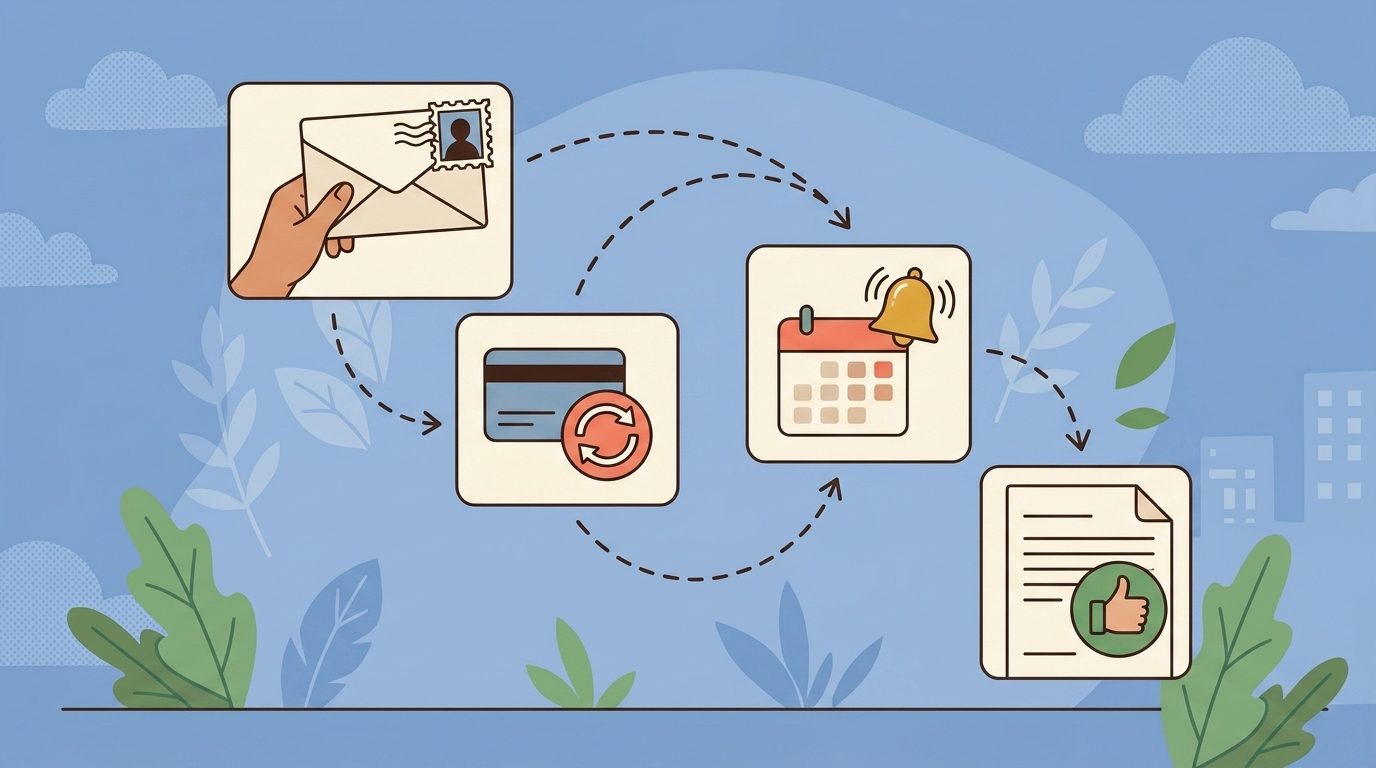
The four workflows below are the ones membership organizations build first. Each one starts from a Raklet event, runs through a Make.com scenario, and ends in another tool the team already uses. Setup times assume a single administrator with no prior Make.com experience.
1. New member registration to welcome sequence and portal access
Trigger: Watch New Contact in Raklet (native module). Filter: only new members in a specific membership tier. Actions: send a personalized welcome email through your email tool, add the member to a “new members” segment, and post a notification to the team’s Slack or Microsoft Teams channel so a human knows to follow up. Setup time: about two hours including testing.
The version teams stop using is the one with no human follow-up. Add the team notification step from day one. Across membership organizations we have worked with, the new-member workflows that hold up after six months almost always have a human checkpoint, not just an automated email; the typical pattern is the membership coordinator sending a personal message in the first week to anyone who joined a higher-tier plan.
2. Failed payment to re-engagement sequence
Trigger: Watch New Payment in Raklet, filtered to status “failed.” Actions: tag the member in Raklet with “payment-issue”, send a templated email asking them to update their card, and after a 48-hour wait module, escalate to a personal email from the membership coordinator if the payment is still unresolved. Setup time: three to four hours because of the wait modules and the conditional escalation logic.
This single workflow recovers a meaningful portion of the membership revenue that organizations otherwise lose to expired cards and forgotten authorizations. Industry research suggests that involuntary churn (cancellations from failed payments rather than customer choice) accounts for a meaningful share of total churn in subscription businesses. Recurly’s payment-decline benchmarks indicate that insufficient funds and expired cards are the two most common decline reasons, and a basic dunning sequence (the kind this Make.com workflow builds) recovers a substantial portion of those payments before the member churns.
3. Event registration to calendar invite and reminder
Trigger: a Raklet event registration. Actions: create a calendar event in Google Calendar or Outlook, send the registrant the calendar attachment by email, and schedule a reminder email 24 hours before the event start time. Setup time: about two hours.
This is the workflow most members notice. A registration that ends with a calendar invite already on their phone reads as professional, while one that leaves them to remember the date themselves reads as amateur. The reminder cuts no-show rates noticeably for free events and modestly for paid ones.
4. Membership renewal to receipt, confirmation, and team notification
Trigger: Watch New Payment in Raklet, filtered to renewal payments. Actions: generate a receipt PDF (Make has a native PDF module), email it to the member, post a thank-you note to the member’s profile, and notify the team in Slack with a quick celebration message. Setup time: two to three hours.
The internal Slack notification is the part teams underestimate. Watching renewals tick over in real time is a noticeable morale signal for staff, especially during slow stretches. It costs you nothing to add and is one of the fastest ways to make automation feel like a teammate instead of a black box.
How to Connect Make.com to Raklet

Raklet ships as a native Make.com module, which means the connection setup takes minutes rather than hours. From inside a Make.com scenario, search for “Raklet” in the module library, choose a trigger (currently Watch New Contact or Watch New Payment), and authenticate with a Raklet API key generated from your Raklet admin settings. After that, every other action you build off the trigger runs against your live Raklet workspace.
For workflows that go beyond the native triggers and actions, Make.com’s HTTP and Webhooks modules let you call the Raklet REST API at api.raklet.com directly. That covers anything not exposed in the native module: custom field updates, bulk operations, or chained calls across different Raklet objects. Raklet also integrates with Zapier (Premium and above) if your team is already invested in that platform. See Raklet’s Zapier integration for the parallel setup. Make and Zapier are not exclusive: many organizations use Make for complex branching scenarios and Zapier for one-step linear flows the same week.
For broader integration coverage across other tools in your stack, see all Raklet integrations. Make.com sits as the automation layer between them, which is a different role from a single-app integration and worth a few hours of planning before you start building.
Make.com Pricing: Is It Worth It?
Make.com switched from “operations” to a “credits” billing model in August 2025. For most non-AI workflows, one module run still equals one credit, so the practical math has not changed much. Older articles that quote “operations” are referring to the same thing under the previous name. Current pricing as of April 2026:
| Plan | Price | Credits per month | Active scenarios | Best fit |
|---|---|---|---|---|
| Free | $0 | 1,000 | 2 | Testing one or two simple workflows |
| Core | $9 / month | 10,000 | Unlimited | Most small nonprofits and clubs |
| Pro | $16 / month | 10,000 + priority execution | Unlimited | Larger organizations or time-sensitive workflows |
| Teams | $29 / month | 10,000 | Unlimited | Multiple staff editing scenarios collaboratively |
For most membership organizations, the Core plan is the right starting point. The free plan runs out of credits inside a week if you have any meaningful traffic; the Pro plan only earns its premium when scenario timing matters (a five-minute delay versus a one-minute delay on a payment failure email is a real reader-experience difference at scale).
Make NGO program. Qualifying nonprofits can apply for the Make NGO program, which provides a free 12-month Pro license with 40,000 credits per month. Eligibility requirements include certified nonprofit status, year-round operation, measurable past results, and no political or religious affiliations. The application is selective, and not all applicants are accepted, but for organizations that qualify it is genuinely free Make.com Pro for a year.
Quick ROI test: if a single automation saves your team two hours per month, and you value staff time at $20 per hour, the workflow pays for the Core plan four times over every month. Most organizations find that one workflow alone justifies the platform; the rest of the scenarios are upside.
Frequently Asked Questions
What is the difference between Make.com and Zapier?
Both are no-code automation platforms, but they are tuned differently. Zapier has a larger app catalog (9,000-plus integrations) and a simpler one-step “if this happens, do that” model that is easier for first-time users. Make.com has fewer integrations (about 3,000) but supports multi-step branching logic, visual scenario design, and lower per-run pricing once you scale past a handful of workflows. Most membership organizations end up using both: Zapier for simple linear flows, Make.com for anything that needs filters, conditional paths, or batch processing.
Is Make.com free for nonprofits?
Yes, qualifying nonprofits can receive a 12-month free Pro license with 40,000 credits per month through the Make NGO program. Requirements include certified nonprofit status, year-round operation, measurable past results, and no political or religious affiliations. The program is selective; not all applications are approved. Organizations that do not qualify can still use the free plan (1,000 credits per month) or the $9 a month Core plan, which is sufficient for most small nonprofits.
Can Make.com connect to Raklet?
Yes. Raklet ships as a native Make.com module with triggers for new contacts and new payments, plus actions for creating contacts, adding tags, adding notes, and managing tags. For workflows beyond the native module, Make.com’s HTTP and Webhooks modules can call the Raklet REST API directly. Raklet customers on the Premium plan or above can also use Raklet’s Zapier integration as an alternative platform.
How hard is Make.com to learn?
Most administrators can build their first working scenario in a single afternoon, although the harder skill is mapping fields between tools (e.g., matching “Member ID” in Raklet to the right column in your email tool). Make.com publishes a free academy with step-by-step lessons, and the visual canvas is easier to read than text-based tools. The learning curve gets steeper when you start using routers (conditional branches), iterators (loops), and aggregators (combining results across runs), but you do not need any of those for the four membership workflows above.
What are Make.com’s main alternatives?
The closest alternatives for membership organizations are Zapier (largest app catalog, simpler one-step model), n8n (open-source, self-hostable, more developer-oriented), and Microsoft Power Automate (best fit if your team is already deep in the Microsoft 365 stack). Most associations and clubs evaluate Make.com against Zapier first, then add a second platform only if a specific app integration forces it.
What are Make.com’s main limitations?
The two limitations that come up most often: scenarios time out at 40 minutes per run on the Core and Pro plans, which can be a constraint for very large data syncs; and Make.com’s error handling is more configurable than Zapier’s, which is a strength for production workflows but can feel like extra setup for first-time builders. The native module catalog (3,000-plus apps) is smaller than Zapier’s (9,000-plus), so for niche tools you may need to fall back to webhooks or HTTP modules.
Ready to automate your membership workflows?
Make.com pairs well with Raklet because the integration is native, the workflows above are ones membership teams run, and the platform scales from a single welcome email to a full operations layer over time. If you want to see how Raklet’s automation surface maps to your specific organization, book a demo and we will walk through the workflows above with your data.