
Last Updated: April 2026
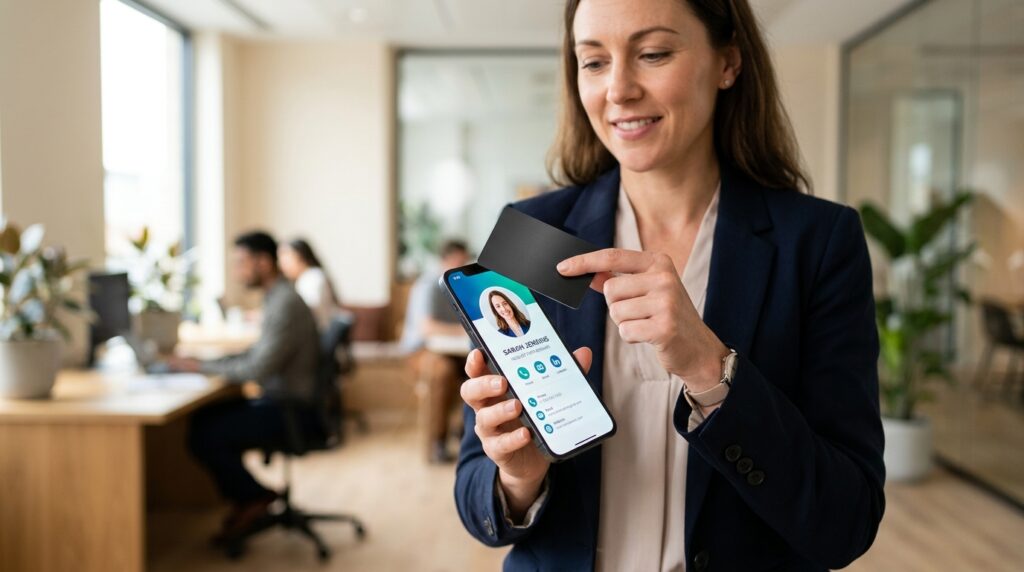
Paper business cards get thrown away. According to research from Allied Market Research, the digital business card market has grown steadily from $159 million in 2022 and is projected to reach $505 million by 2032, driven by professionals who want contact information that updates in real time, works across every device, and does not end up in a trash bin at the end of a conference. Maximize Market Research reports that 37% of small businesses have already made the switch.
The catch: almost every “best digital business card” article you will find online is written by one of the tools reviewing itself. Wave rates Wave number one. Blinq rates Blinq number one. Raklet does not make a general digital business card app, which means we have no stake in the rankings and can give you an honest comparison.
This guide covers six widely used digital business card platforms, what they are genuinely good at, where each one falls short, and how much they cost. At the end, there is a short section on a different but related use case: organizations that want to issue branded digital cards to their members, where the tool you need is not a business card app at all.
What Is a Digital Business Card?
A digital business card is a shareable online profile that replaces or supplements a paper card. It contains your contact information, social links, and any other details you choose to include, and it updates in real time. Change your phone number or job title and every link, QR code, and NFC tap that points to your card reflects the new information automatically.
The term “virtual business card” means the same thing. Some platforms use one phrase, some use the other. For search engines and buyers, they are interchangeable.
There are three main types:
- App-based cards: You create a profile inside an app. Sharing happens via a QR code, a link, or an NFC tap, depending on what the platform supports.
- QR code cards: A dynamic QR code points to your hosted profile. Anyone with a smartphone camera can scan it. No app required on either side.
- NFC cards: A physical card (looks like a credit card) with an embedded chip. The recipient taps it to their phone and your profile opens in a browser. Also requires no app on the recipient’s side.
How Do Digital Business Cards Work?

This is the question most buyers have before they pick a platform, and the answer matters because it affects how useful the card is in practice.
Does the other person need the same app?
With the six tools reviewed below, no. All of them let the recipient open your card in a mobile browser without installing anything. The older model where both people needed the same app installed (common in early digital card tools) has mostly disappeared from the mainstream platforms.
QR code sharing
You show your QR code on your phone screen. The recipient opens their camera, points it at the code, and a link appears. Tapping that link opens your profile in their browser. Works on any smartphone, any operating system, with no app. The QR code itself never changes even when you update your profile, because it is a dynamic code pointing to a hosted URL.
NFC tap
NFC (Near Field Communication) is the same technology behind contactless credit card payments. An NFC business card has a small chip embedded in it. When the recipient holds their NFC-enabled phone near the card, the phone reads the chip and automatically opens your profile in a browser. No scanning, no typing. Most iPhones from iPhone 7 onward and nearly all Android phones from the past five years support NFC. The recipient needs no app.
The tradeoff: a physical NFC card costs $10 to $50 or more as a one-time purchase, on top of your app subscription. If you never meet people in person, a QR code does the same job for free.
Link sharing
Every platform gives you a profile URL. You can add it to your email signature, text it, post it on LinkedIn, or embed it anywhere. The recipient clicks and your profile opens. This is the most universal sharing method and works in every context where the other two do not apply.
Apple Wallet and Google Wallet
Several platforms allow you to add your digital card to Apple Wallet or Google Wallet so it is available from your lock screen without opening an app. Useful for quick sharing at events, but not universally supported across all platforms in this list.
What to Look for When Choosing a Digital Business Card App

Most vendor review articles focus on feature count rather than practical utility. A more useful question is which features matter for how you actually network.
- No-app sharing: Can the recipient access your card without downloading anything? All six tools below pass this test, but verify before signing up for a newer platform.
- Team management: If you are setting up cards for a sales team or department, look for bulk import, an admin dashboard, and the ability to enforce brand templates across all cards. This feature is often locked behind Business or Enterprise tiers.
- CRM integration: If lead capture matters, check whether the platform connects natively to your CRM (HubSpot, Salesforce) or requires a Zapier workaround.
- Analytics: Some platforms track who viewed your card and when. Useful for sales reps following up after events; less relevant for most other professionals.
- Pricing structure: Free plans vary significantly in what they include. Some have no branding on the free tier. Others put the platform’s logo prominently on your card unless you pay. Check what the free plan actually looks like before committing.
- NFC card availability: If you want a physical card, check whether the platform sells one and at what cost. Some include it with certain subscription tiers; others charge separately.
- Total cost of ownership: A $5/month plan that requires a $50 NFC card purchase plus a $20/month Zapier connection costs more than a $7/month plan with native integrations included. Add up the actual annual cost before comparing plans by sticker price alone.
Best Digital Business Card Apps in 2026
We reviewed six of the most widely used platforms based on the criteria above, using publicly available product information and user reviews. Pricing reflects April 2026 rates; check each platform’s pricing page for current figures.
| App | Best for | Free plan | Paid (approx.) | NFC card | CRM integration |
|---|---|---|---|---|---|
| HiHello | Individuals | Yes | $6/mo | BYO tag (NFC-compatible) | Yes (paid) |
| Blinq | Individuals + small teams | Yes | ~$5/mo | Yes (add-on) | Via Zapier |
| Wave Connect | Free plan, small teams | Yes (no branding) | $4.99/mo (annual) | No | Yes (HubSpot native) |
| Popl | NFC + sales reps | Limited | $7.99/mo | Yes (separate purchase) | Yes (Salesforce) |
| Mobilo | Enterprise teams | No | Team pricing | Yes | Yes |
| Uniqode | QR-focused teams | Yes (1 user) | $6/user/mo (annual) | No | Yes |
HiHello
Best for: Individual professionals who want a polished card quickly.
HiHello is one of the most recognizable names in the space. The free plan is genuinely functional: you can create a card, share it via QR or link, and add it to Apple Wallet at no cost. The paid Professional plan ($6/month) adds AI-generated email signature templates, custom backgrounds, and basic analytics showing who viewed your card.
Pros: Clean, fast setup; recipient needs no app; Apple Wallet support on free plan; AI email signature generation on paid; well-established platform with active development.
Cons: Team features (admin dashboard, bulk import, SSO) require the Business plan at $5 per user per month, making it more expensive than individual-focused competitors for larger groups. Analytics are limited on the free tier. HiHello does not sell NFC cards, though the app is NFC-compatible: you buy an NFC tag separately (available on Amazon for a few dollars) and link it to your card.
Bottom line: HiHello is a reliable choice for individuals. For teams of more than five, compare the total cost against Wave or Mobilo before committing.
Blinq
Best for: Individuals and small teams who want the highest-rated option on the App Store.
Blinq consistently ranks first on the Apple App Store and Google Play in the digital business card category, with over 140,000 ratings averaging 4.9 stars. Setup takes under two minutes. The free plan includes a shareable card with no forced Blinq branding, QR sharing, and a link you can drop anywhere. NFC cards are available as a separate purchase.
Pros: Fast setup; strong free plan; no recipient app required; high user satisfaction ratings; QR and NFC options; email signature builder included.
Cons: Advanced team features (SSO, bulk import, admin controls) are Enterprise-tier only with custom pricing. CRM integration is via Zapier rather than a native connector, which adds setup friction for non-technical teams. The review count is driven by a large individual user base, not by enterprise feature depth.
Bottom line: Blinq is excellent for individual use and small teams. The high ratings are real, but they reflect ease of use for personal cards, not enterprise team management.
Wave Connect
Best for: Anyone who needs a professional card at no cost, or small teams wanting HubSpot integration.
Wave’s free plan includes features typically reserved for paid tiers: the card has no Wave branding on it, which is uncommon among freemium digital card tools. The Pro plan ($4.99/month billed annually) adds analytics, lead capture, and native HubSpot sync without needing Zapier. The Teams plan ($5/user/month) adds centralized admin controls and bulk card creation.
Pros: Best free plan in this list; no branding on free tier; HubSpot native integration; email signature builder; active feature development.
Cons: Wave’s own comparison articles rank Wave first. Read those with appropriate skepticism. No physical NFC card product. Support response times are slower on the free plan.
Bottom line: If a free plan with no branding matters, Wave is the strongest option in this list. The HubSpot native integration is a genuine differentiator for teams that run marketing in HubSpot.
Popl
Best for: Sales professionals who network in person and want a platform built around lead capture and Salesforce integration.
Popl is designed around in-person networking and lead generation rather than casual contact sharing. The Pro plan runs $7.99/month. Physical NFC cards (metal, $44.99+) are sold separately on Amazon and the Popl website, and can be paired with any Popl account, including free. The subscription unlocks the business dashboard, lead enrichment, and CRM sync.
Pros: Strong Salesforce integration; lead capture and contact management built in; works well for event-heavy sales roles; NFC hardware available separately at one-time cost.
Cons: The NFC and in-person focus only matters if you network face-to-face regularly. The platform is weaker for remote or primarily digital sharing scenarios. The free plan is quite limited compared to HiHello or Blinq for basic card sharing.
Bottom line: If your team goes to trade shows and conferences and wants to capture leads directly into Salesforce, Popl earns its cost. If most of your networking is via email or LinkedIn, it is overkill.
Mobilo
Best for: Growing companies and enterprise teams that need ROI tracking per sales rep.
Mobilo focuses on teams and companies rather than individual professionals. It has no meaningful free plan, but the team features are more mature than most competitors: analytics per team member, admin controls, branded templates with lock-down options, and CRM integration across HubSpot, Salesforce, and others. Physical NFC cards and smart key fobs are available.
Pros: Best team analytics in this list; admin controls for brand consistency; multiple CRM integrations; physical card options beyond just a standard card format.
Cons: No free plan. More expensive than individual-focused tools. The product is designed for sales teams, not general professionals, so features like ROI dashboards are irrelevant if your goal is just to share contact information at events.
Bottom line: Mobilo is the right choice when management needs to measure the ROI of digital card adoption across a sales organization. It is the wrong choice for an individual freelancer or a team that just wants to stop printing paper cards.
Uniqode
Best for: Teams that need advanced QR code customization, analytics, and API access.
Uniqode (formerly Beaconstac) started as a QR code platform and expanded into digital business cards. The result is QR code customization that goes deeper than any other tool in this list: custom QR designs, scan analytics by location and device, retargeting pixel support, and an API for developers who need to generate cards programmatically.
Pros: Most advanced QR analytics; API access for technical teams; enterprise security options; custom QR designs that can incorporate brand colors and logos; free plan available for individuals (one user).
Cons: No native NFC card. Team plan starts at $6/user/month (billed annually), which is comparable to other team-focused tools but more than simple individual-card apps. The interface has a steeper learning curve than simpler tools, and features like retargeting pixels and API access are only relevant to technical or marketing teams.
Bottom line: Uniqode makes sense for a marketing or technical team that wants to treat digital business cards as part of a broader QR and analytics strategy. For most individual professionals, it is more platform than you need.
For Organizations: Digital Membership Cards Are a Different Tool
If you run a club, professional association, nonprofit, or any organization that wants to issue branded digital cards to its members rather than helping individuals share their own contact information, the tools above are not the right fit. Individual digital business card apps are built around one person managing their own profile. What organizations need is the ability to issue hundreds of branded cards, control the template centrally, and tie cards to membership records, events, and a member directory.
This is a different product category. Digital membership cards for your members work alongside membership management rather than replacing a personal contact app. If your question is “how do I give my 300 association members a branded digital card that proves their membership?” rather than “how do I share my own contact information?”, look at digital membership card software built for organizations. For a broader look at physical and digital card formats, Digital Membership Card 101 covers the full spectrum.
Pricing at a Glance
Pricing changes frequently. All figures are approximate as of April 2026. Verify on each provider’s pricing page before purchasing.
| App | Free plan | Individual paid | Team / Business | NFC card cost |
|---|---|---|---|---|
| HiHello | Yes (limited design) | $6/mo | $5/user/mo (Business) | NFC-compatible (BYO tag) |
| Blinq | Yes (no branding) | ~$5/mo | Enterprise (custom) | Separate purchase |
| Wave Connect | Yes (no branding) | $4.99/mo (annual) | $5/user/mo | Not available |
| Popl | Limited | $7.99/mo (Pro) | Team plan (custom) | Separate purchase ($44.99+) |
| Mobilo | No | Not available | ~$4-5/user/mo (team) | Separate purchase |
| Uniqode | Yes (1 user free) | $6/user/mo (annual) | $6/user/mo + Business+ (custom) | Not available |
Frequently Asked Questions

What is the best digital business card in 2026?
It depends on your use case. For individuals, Blinq and HiHello are the most polished options with strong free plans. For small teams that use HubSpot, Wave Connect has the best free plan and native CRM sync. For sales teams that need in-person lead capture and NFC cards, Popl includes a physical card with its subscription. For enterprise teams that need analytics per rep and admin controls, Mobilo is built for that use case.
Is there a truly free digital business card?
Yes. Both Blinq and Wave Connect offer free plans with no platform branding on the card itself, which is uncommon. HiHello also has a free plan, though the free tier has more design limitations. All three free plans allow sharing via QR code and link without requiring the recipient to download any app.
Do I need an app to share a digital business card?
You need an app or a platform account to create and manage your card. The person receiving your card does not need any app. All six tools reviewed here let recipients view your card in a mobile browser by scanning a QR code, tapping an NFC card, or clicking a link. No download required on their side.
Are digital business cards safe?
The major platforms store profile data on their servers with standard web security practices. Check each platform’s privacy policy before adding sensitive information to your card. Most established platforms (HiHello, Blinq, Wave, Uniqode) have SOC 2 compliance or equivalent. Avoid obscure platforms with no published security information.
Can I use a digital business card for my whole team?
Yes, though team features vary significantly by platform. Wave Connect, Blinq (Enterprise), Mobilo, and Uniqode all support bulk card creation and centralized admin dashboards. Mobilo and Uniqode are best suited for larger teams that need brand lockdown and analytics per member.
What is the difference between a digital business card and a digital membership card?
A digital business card is a personal contact-sharing tool. You control it, share it when networking, and the information on it represents you. A digital membership card is issued by an organization to its members and represents membership in that organization, not personal contact information. The tools and use cases are different: HiHello and Blinq are digital business card tools, while platforms like Raklet issue digital membership cards at the organizational level.
If you’re an individual professional looking to stop handing out paper cards, one of the six tools above is what you need. If you run an organization and want to issue cards to your members, that is a different product category entirely.
Ready to give your members a professional digital card that works alongside your membership management? See how Raklet’s digital membership cards work, or start free and explore the platform yourself.