
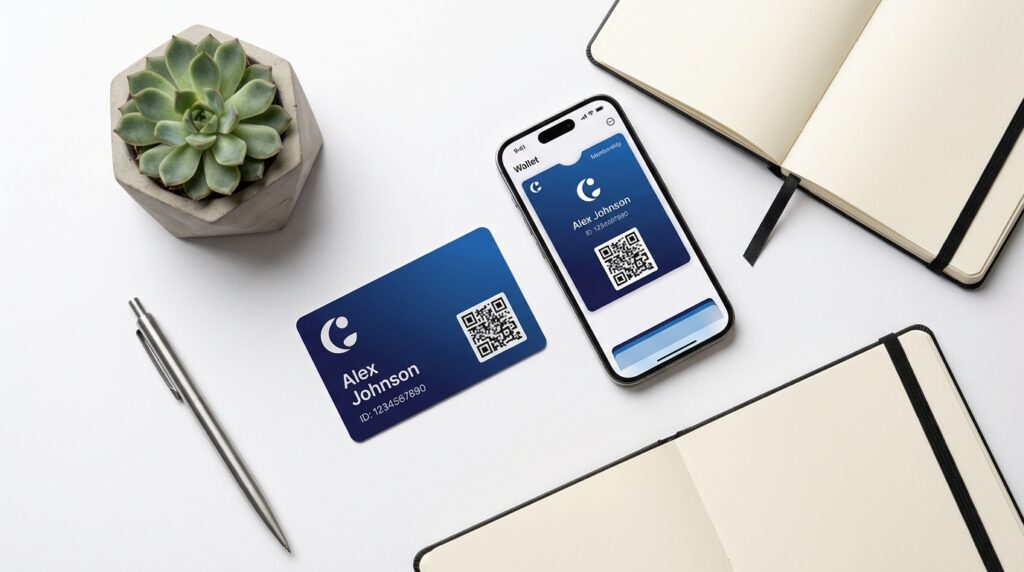
Custom membership cards are the most tangible proof of belonging your organization can give a member. They signal access, identity, and value in a single physical or digital object. Organizations that issue well-designed cards report stronger retention and higher perceived value, yet most guides only cover one format. This guide covers both physical and digital custom membership cards: design, cost, software, and when to use each.
- Custom membership cards exist in two forms: physical (PVC/paper) and digital (wallet passes, app-based). Many organizations benefit from running both.
- Personalized physical cards cost $0.80–$3.30 per card for runs of 100+ (card + variable-data printing). Digital cards are typically bundled with membership software at no extra per-card cost.
- 27% of U.S. adults aged 65+ do not own a smartphone (Pew Research, 2024), making physical cards essential for older member bases.
- Every card, physical or digital, needs member name, ID number, expiry date, and organization branding at minimum.
- Apple Wallet and Google Wallet passes can be delivered by email or QR scan and update automatically without reprinting.
What Are Custom Membership Cards?
A custom membership card is a credential your organization issues to confirm an individual’s active membership. The EU Digital Identity Wallet initiative (European Commission, 2024) shows the broader direction: governments are standardizing digital credential formats so citizens can carry verifiable IDs on their phones. Membership organizations are following that same shift, moving from plastic cards to phone-based passes their members already carry. Cards come in two core formats: physical and digital.
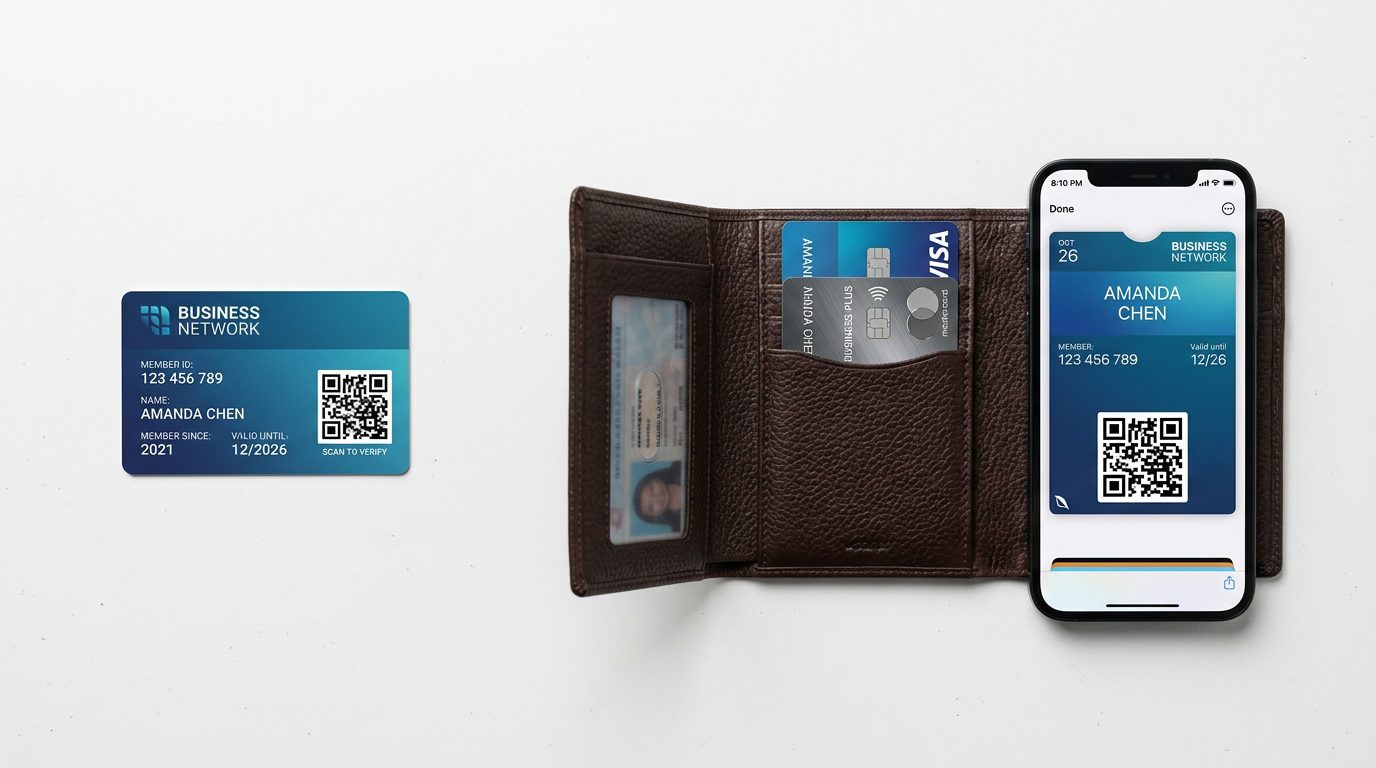
Physical membership cards are printed or embossed on PVC, paper, or composite stock. They typically match the CR80 credit card standard (85.6 x 54 mm). You hand them to members at sign-up or mail them after enrollment.
Digital membership cards live on a member’s smartphone: an Apple Wallet pass, a Google Wallet pass, or an in-app card. They update in real time, never wear out, and cost nothing to ship. For a deeper background on what membership cards do and why they matter, see this complete guide to membership cards.
Both formats serve the same core function: prove membership, communicate tier or status, and act as an access token at events or venues. The difference is in delivery, durability, and audience. Want to understand the engagement side? Read How Can Membership Cards Increase Loyalty and Engagement for the research-backed case.
Citation capsule: The European Commission’s EU Digital Identity Wallet initiative (2024) is standardizing how digital credentials are issued and verified across 27 member states, pushing governments and institutions toward phone-based identity formats. Membership organizations tracking this shift are accelerating their own move from physical cards to digital wallet passes as members increasingly expect a single phone to hold all their credentials. (European Commission, ec.europa.eu)
Physical vs. Digital Membership Cards: Which Should You Choose?
The right format depends on your members’ demographics and how they interact with your organization. Physical cards work universally; digital cards scale without printing costs. Most organizations with mixed member ages end up running both. Here is how each format performs across the dimensions that matter most to membership managers.
Physical Membership Cards
Physical cards are familiar and universally accessible. No smartphone required. Members keep them in a wallet alongside their driver’s license, which increases daily visibility and brand exposure. Many members find a physical card more prestigious, particularly for associations, clubs, and professional bodies where the card signals status.
Pros:
- Works for all members regardless of tech literacy or device ownership
- Tangible proof of membership increases perceived value
- Supports magnetic stripe, barcode, and chip-based access control
- No app or internet connection required at point of use
Cons:
- Cards expire and must be reprinted and reshipped, adding cost per renewal cycle
- Lost or damaged cards require manual replacement
- No real-time updates; tier changes require a new card
- Printing PVC at low volumes ($1.50–$2.50/card) is expensive relative to digital
Physical card security options worth knowing for access-control contexts: custom holograms (foil overlay, hard to counterfeit), UV printing (visible only under blacklight, used for covert verification), signature panels (writable strip the member signs, verified against photo ID), and encrypted QR/barcode data (non-human-readable payload tied to your database). Standard PVC cards without these features can be visually duplicated, so high-security venues typically add at least one layer.
Digital Membership Cards
Digital cards delivered as Apple Wallet or Google Wallet passes live on a member’s phone and update automatically when membership status changes. There is no shipping delay, no expiry reprint, and no plastic waste. For a sustainability angle, see how a digital membership card eco-friendly option compares on environmental impact.
Pros:
- Zero shipping cost and instant delivery via email or QR scan
- Real-time updates: tier upgrades and expiry extensions push automatically
- Location-aware notifications (lock-screen alerts near your venue)
- No physical inventory to manage
Cons:
- Requires a smartphone, which excludes members without one
- Apple Wallet and Google Wallet have separate design specs and setup steps
- Members may accidentally delete the pass from their wallet
When to Use Both (Hybrid Approach)
A hybrid approach gives every member a digital card by default and offers physical cards on request or as a premium add-on. This balances cost efficiency with inclusivity. Organizations that default to digital and offer physical as an opt-in typically cut annual card costs by 60–70%, while retaining the physical option for older or less tech-comfortable member segments.
Pew Research (2024) found that 27% of U.S. adults aged 65 and older do not own a smartphone. If your membership skews older (common in civic associations, veterans’ groups, and religious organizations) physical cards are not optional. They are essential for that segment.
| Use Case | Recommended Format |
|---|---|
| Gym or fitness club (18–45 demographic) | Digital (Apple/Google Wallet) |
| Alumni association (mixed ages) | Hybrid: digital default, physical on request |
| Veterans or senior civic club | Physical primary, digital optional |
| Professional association with premium tiers | Physical (premium tier) + digital (all tiers) |
| Community organization with events access | Hybrid: digital for daily use, physical for events |
| Nonprofit with volunteer base | Digital (low cost, easy to update) |
What Should Be on a Custom Membership Card?
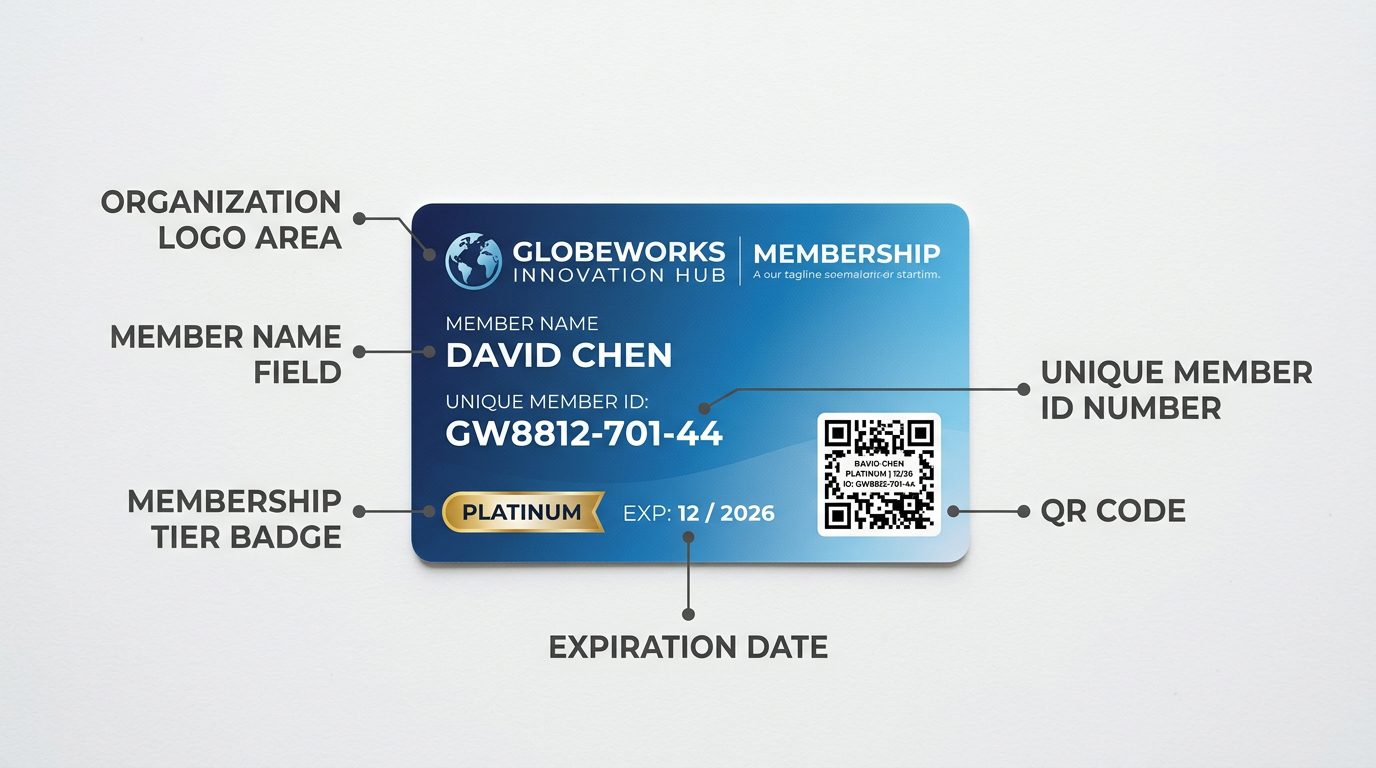
A well-structured membership card communicates essential information at a glance and functions as a reliable access credential. Industry best practice, drawn from card production standards used by associations, gyms, and libraries, requires at minimum five data fields plus clear branding. Missing even one required field creates friction at point of verification.
Required fields (every card must have these):
- Member name: full name as registered in your membership database
- Member ID number: unique identifier that maps to your records
- Expiry date: month and year of membership end
- Organization name and logo: establishes issuing authority at a glance
- Scannable credential: barcode, QR code, or NFC chip for system verification
Optional fields (add based on your use case):
- Membership tier or plan name: e.g., “Gold Member”, “Student”, “Life Member”
- Member photo: required for ID-verification contexts (gyms, libraries)
- Benefits summary: one-line reminder of key perks (discounts, access)
- Website or contact info: helpful for public-facing cards
- Issue date: useful for tracking tenure and triggering anniversary communications
Design readability matters as much as data completeness. Use a minimum 8pt font for all printed text on physical cards. High contrast between text and background improves scan accuracy for barcodes and QR codes. Avoid placing critical text near the card edges; most print vendors require a 3mm safe zone. Membership managers consistently report that cards with cluttered designs fail barcode scans at a higher rate than clean, minimal layouts.
How to Design a Custom Membership Card
Good membership card design balances brand identity with functional clarity. The card must look professional, scan reliably, and remain legible after months in a wallet. Design decisions differ between physical and digital formats, but the underlying principles are the same: hierarchy, contrast, and simplicity.
Branding
Your logo should anchor the card, typically top-left or top-center. Use your primary brand color as the background or as an accent band. Keep the design consistent with your other member-facing materials so the card reinforces brand recognition. One dominant color plus one accent is generally more effective than a full-bleed gradient with multiple colors. White space is not wasted space.
QR Code vs. Barcode vs. NFC
The credential type you choose depends on your check-in infrastructure.
- QR codes: readable by any smartphone camera, low-cost to print, ideal for event check-in and digital cards. The most versatile option for most organizations.
- Barcodes (Code 128 or EAN-13): required if your venue uses legacy laser scanners (common in libraries and older gyms). Barcodes encode less data than QR codes.
- NFC chips: embedded in physical cards, require an NFC reader at point of access. Higher per-card cost ($1–$3 premium over standard PVC) but enables tap-to-verify without a camera scan.
Card Materials: Beyond Standard PVC
Most organizations default to PVC: it’s durable, supports every tech option, and costs the least at volume. But “custom” often means something more distinctive. Here’s how the main materials compare:
| Material | Per-Card Cost | Best For | Notes |
|---|---|---|---|
| Standard PVC | $0.50–$2.50 (base, unpersonalized) | Most organizations, high volume | Supports magnetic stripe, barcode, NFC chip |
| Metal (stainless/brass) | $10–$50+ | Premium tiers, lifetime members | Heavy, laser-engraved, perceived high value |
| Wood | $5–$20 | Nature orgs, craft breweries, eco brands | Unique feel; longer lead times |
| Recycled PVC | $1–$3 | High-volume eco-conscious orgs | Same specs as standard PVC, lower footprint |
Metal and wood cards typically require longer lead times (2–4 weeks vs. 3–7 days for PVC) and higher minimum order quantities. Use them strategically for top-tier members or lifetime memberships where the premium feel justifies the cost.
CR80 Standard for Physical Cards
Standard credit-card size is the CR80 format: 85.6 mm x 54 mm (3.375 in x 2.125 in) at 0.76 mm thickness. Design files for physical cards should be set at 300 DPI minimum, with a 3 mm bleed on all sides. Most print vendors (Plasticardid, Jukebox, Vistaprint Business) accept PDF or high-resolution PNG files in this format. Deviation from CR80 makes your cards incompatible with standard cardholders and wallets.
Apple Wallet and Google Wallet Digital Design
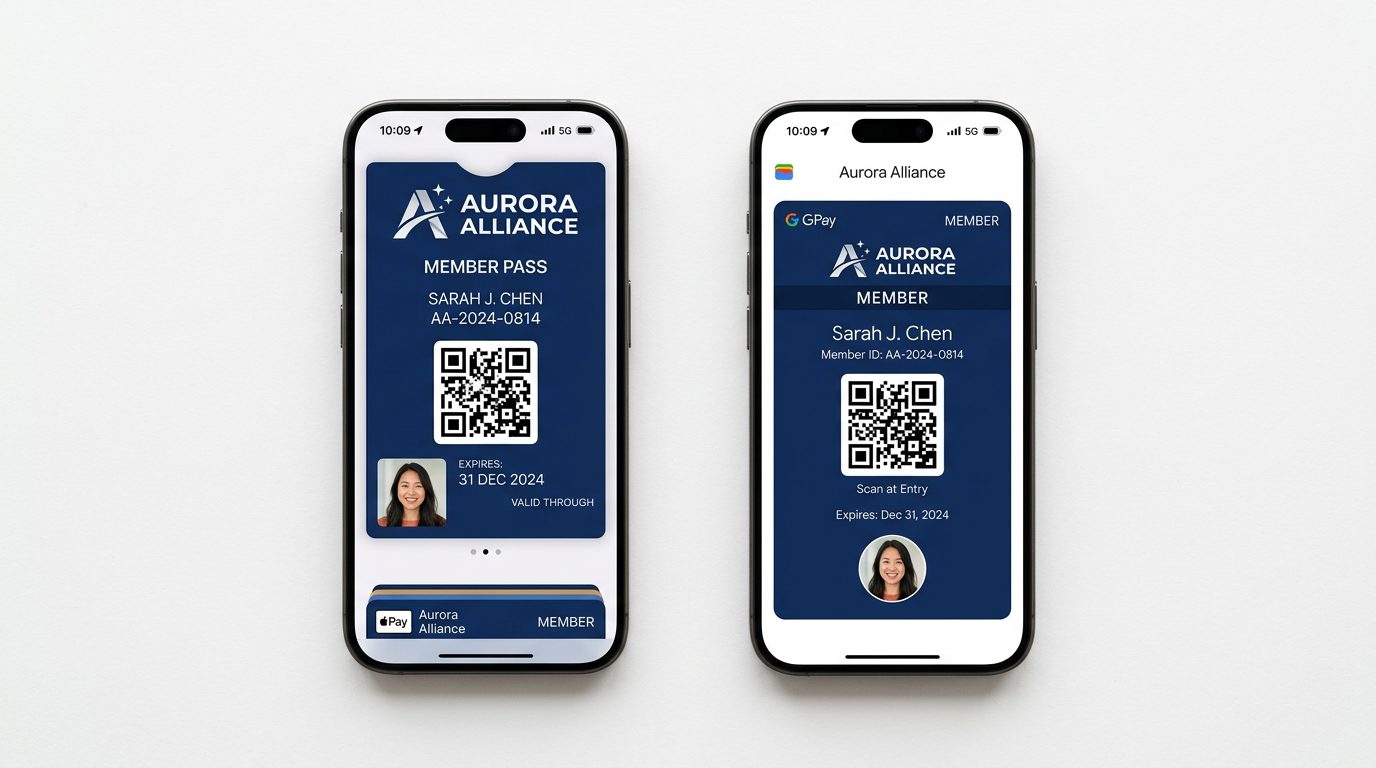
Digital wallet passes follow strict platform specifications. Apple Wallet passes use a `.pkpass` bundle with defined image sizes: logo (160x50px), strip image (375x144px @2x), and background/thumbnail images. Google Wallet uses a JSON-based “pass object” with defined field layouts. Both platforms enforce that your organization’s name, logo, and branding appear exactly as registered in their developer portals. Keep digital card designs simple; wallet passes are narrow, and small text becomes unreadable at phone-screen scale.
How Much Do Custom Membership Cards Cost?
Physical custom membership cards cost between $0.80 and $3.30 per card for print runs of 100 or more, including personalization, based on pricing data from major card print vendors including Plasticardid and Jukebox (2024). That range covers the base card plus variable data printing; more on what that means below. Digital cards are bundled with membership management software and carry no per-card printing or shipping cost.
Understanding card personalization. The base card price gets you a set of identically printed cards: your logo, colors, and static design, but the same on every card. Personalization means printing a different name, member ID, photo, and barcode on each card. There are two ways to do it: (1) order blank branded cards and print member-specific data yourself using a desktop card printer ($300–$800 for a basic model), or (2) send a variable-data spreadsheet (name, ID, photo URL per row) to a professional print vendor who merges the data and ships finished personalized cards. For most organizations, option 2 is cheaper and easier unless you’re printing cards continuously for new members throughout the year.
Citation capsule: Card print industry pricing data (Plasticardid, Jukebox Print, 2024) shows that standard PVC membership cards at 500-unit runs cost $0.60–$1.10 per card without personalization. Variable-data personalization (member name + unique barcode per card) adds $0.30–$0.50 per card at the same volume. Setup fees for custom card dies or specialty finishes (matte laminate, spot UV) typically range from $25–$75 per order. (Plasticardid.com, Jukebox Print, 2024)
The cost comparison shifts significantly at scale. At 500 members, physical-only programs spend $500–$1,750 per membership cycle on card production alone, before postage. Digital-only programs at the same scale typically add $0 in marginal card cost. Hybrid programs (digital default, physical on request) tend to settle at 20–30% physical card uptake, cutting print costs by 70–80% versus full physical runs. Based on analysis of card print vendor pricing sheets from three major North American suppliers, the break-even point where physical card costs exceed a typical digital software subscription is around 150 members per year.
| Format | Setup Cost | Per-Member Cost | Annual (500 members) |
|---|---|---|---|
| Physical only (personalized) | $25–$75 (design/die) | $0.80–$3.30 (card + postage) | $400–$1,650 |
| Digital only | $0–$99 (software setup) | $0 marginal | $0 (bundled with software) |
| Hybrid (digital default) | $25–$99 | $0 (digital) / $0.80–$3.30 (physical opt-in) | $80–$500 (20–30% physical uptake) |
Cost note: All figures are based on a 2024 market analysis of North American card print vendors (Plasticardid, Jukebox Print, and two regional suppliers) and reflect personalized CR80 PVC cards with variable data printing. Costs vary by order volume, material, finish, and vendor. Request quotes at your actual volume before budgeting.
How to Create Custom Membership Cards with Software
Creating custom membership cards through membership management software is a repeatable five-step process. Software handles both digital delivery and print-ready export, so you manage the card program from one system. The Left Handed Giant case study shows how this plays out in practice for a real community organization.
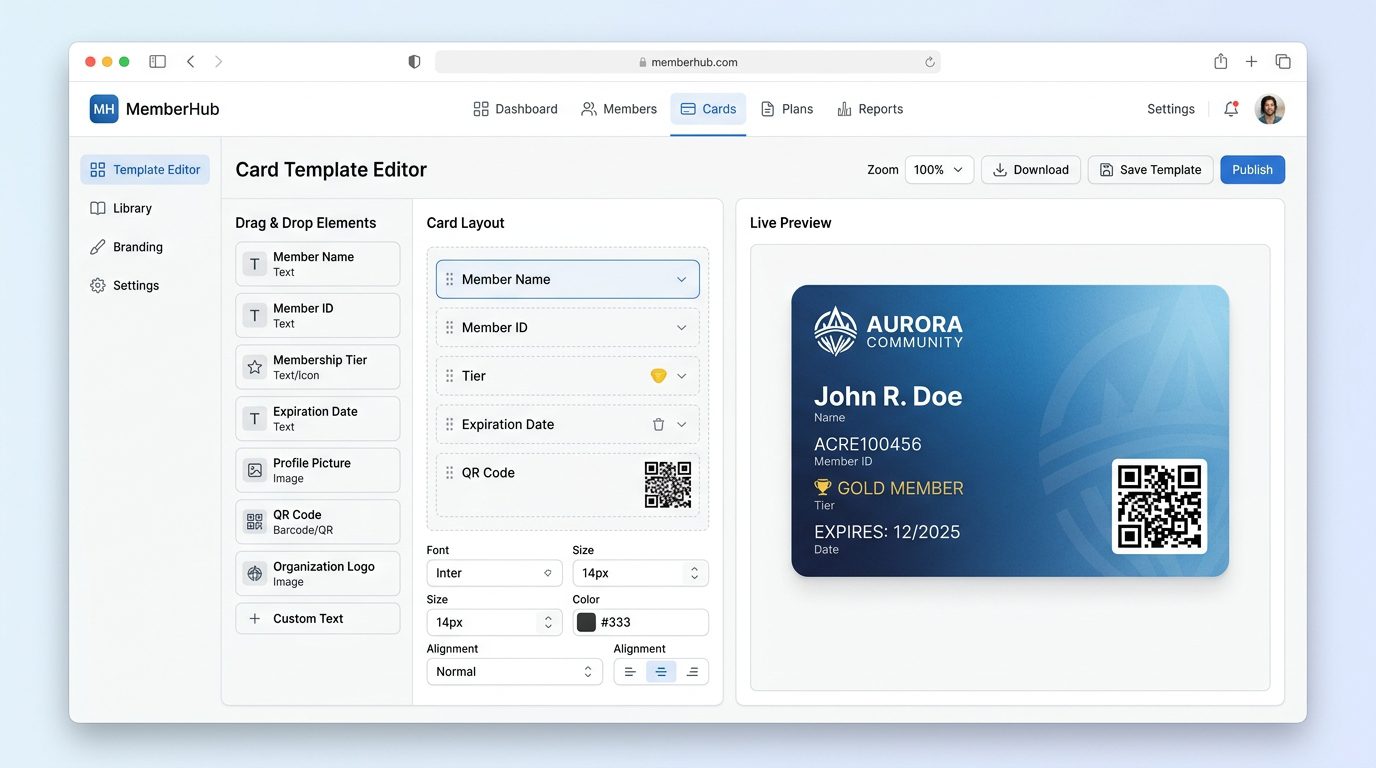
- Configure your card template: set the card fields, layout, and branding in your software’s card designer. Map database fields (member name, ID, tier) to template placeholders.
- Set the design: upload your logo, set background color or image, choose font and credential type (QR, barcode). Preview at actual card size before saving.
- Set the trigger: define when cards issue: on membership activation, on payment confirmation, or manually by an admin. Automatic triggers reduce admin workload at renewal periods.
- Deliver the card: for digital: the system emails the member a wallet-pass link or renders the card inside the member portal. For physical: export a print-ready PDF with variable data for each member and send to your print vendor.
- Test before full rollout: send a test card to your own phone and scan the QR or barcode with your check-in system. Verify all variable fields populate correctly. Test the physical print file on one card before the full run.
Apple Wallet and Google Wallet Delivery
Wallet pass delivery works through a signed pass file. Your software generates a `.pkpass` file (Apple) or a Google Wallet pass object, signs it with your registered developer certificate, and sends the member an email or in-app prompt to “Add to Wallet.” Members tap once and the card is live on their phone. When membership expires or tier changes, the pass updates automatically without any action from the member.
Print Export for Physical Cards
For physical cards, your software should export a print-ready PDF at 300 DPI with crop marks and bleed. The file should include variable data already merged; each page of the PDF corresponds to one member’s card. Send this file directly to your print vendor. Most vendors turn around standard PVC CR80 cards in 3–7 business days. Order a small proof run (25–50 cards) on a new design before committing to a full membership cycle print run.
Using Raklet
Raklet’s membership platform handles digital card creation, delivery, and updates in one workflow. When a member joins or renews, the system generates their Apple Wallet or Google Wallet pass automatically, with no third-party card service or developer setup required. For the full step-by-step setup, read how to create digital membership cards with Raklet, or see the digital membership card software feature overview.
Frequently Asked Questions
Are digital membership cards secure?
Yes. Apple Wallet and Google Wallet passes use cryptographic signatures: the pass file is signed with your organization’s certificate, and any tampering invalidates it. QR codes on digital cards can be set to rotate every 30–60 seconds, making screenshot fraud ineffective. Most membership software also ties the card to the member’s account, so deactivating the account invalidates the card immediately.
Can I use a membership card template?
Yes, most membership software and card print services offer templates. Templates speed up design but should always be customized with your logo, brand colors, and required data fields before use. A generic template with your logo swapped in is better than no card, but a fully branded card with consistent typography and color palette performs better in member satisfaction surveys. Treat templates as a starting point, not a finished product.
What is the difference between a loyalty card and a membership card?
A loyalty card tracks purchase points or visit frequency to unlock rewards; it requires no membership relationship. A membership card confirms active enrollment and typically includes expiry dates, tier status, and access rights. Some organizations combine both functions on one card. Loyalty cards are common in retail; membership cards are standard in associations, clubs, nonprofits, and subscription communities.
Can I print my own membership cards?
Yes, with limitations. Desktop inkjet or laser printers can produce paper or light card stock membership cards suitable for low-volume or temporary use. For durable PVC cards (credit-card quality), you need a dedicated PVC card printer (entry-level models start around $300) or an outsourced print vendor. PVC cards printed in-house require a separate laminator if you want glossy or matte finish protection. For most organizations, outsourcing to a print vendor is more cost-effective below 1,000 cards per year.