All of your audience can be gathered in a single, engaging platform that only you can control using a custom branded mobile community app. It’s a great approach to boosting engagement rates and streamlining membership management for your community. It also offers a way to uphold community values while expanding your audience. In this article, we will tell you about the custom-branded mobile app and give you tips on how it will be.
What is a Custom Branded Community Mobile App?
A custom branded app is a mobile application developed by a business to promote its brand. Custom branded applications often represent the brand’s identity, including its values, colors, logo, visual design and style, tagline, and other elements.
Mobile community apps concentrate on a particular community and cater to its users. This also eases successfully promoting your business. These applications connect people together by delivering up-to-date community information such as local news and other information.
4 Benefits of Using Custom Branded Community Mobile App:
- A branded mobile app allows you to organize all of your information and brand messages into a single, engaging mobile app. All of your material will be conveniently available on a single platform for your audience.
- Thanks to a community app, your notifications will stand out from the deluge of social media alerts. Your community will also get accustomed to receiving all of its insights through your app.
- It provides an engaging environment for your audience, which will keep them interested in your brand. Giving your followers a private platform will significantly increase user engagement with your brand.
- By utilizing the behavioral data and user analytics provided by the community app, you may get insight into your community’s preferences.
What Makes a Great Online Community App?
You want a mobile application that will boost community involvement. To achieve this, the custom-branded mobile community app you will design must have some features. Here are some of the features we have prepared for you that will help you grow your community with a branded online community app!
Profile Customization: Platforms for the community should be pertinent on a personal level. User profiles, push alerts, and individualized timelines are a few customization elements to consider. In particular, notification customization options are crucial because they allow users to opt-out without leaving your community and keeping them informed about everything that matters to them.
Moderation: User activity monitoring will help to make your community app a safer environment. Inappropriate language and conduct should be deliberately avoided to make your environment welcoming and secure. Moderators may actively participate in reading what community members post, and taking appropriate action.
Features for Sharing Content: Include content sharing options for various file types when developing a community app, including text, picture, audio, video, and custom. Encourage users to engage and share information on the platform, and make it simple for users to find pertinent items via push notifications or their activity stream.
Branding Controls: The features above decide how your community behaves. Branding controls decide whether members recognize it as yours. Before you commit to a platform, check that you can set your own brand colors, load your organization’s logo as both the in-app mark and the home screen icon, apply your typeface, and rearrange the navigation from an admin panel without a developer. A platform that owns those four settings on your behalf is renting you its brand, not building yours.
4 Tips for Creating a Branded Mobile Community App:
Set Your Branding Goals
Creating a branded community app starts with defining your branding goals. This will guarantee that your plan is in line with your goals. You should ask yourself and answer questions like:
- What is the community’s motivation?
- What steps are you taking to encourage community people to participate?
- What size of community engagement are you aiming for?
Select a Template
After you have decided on your goals and target audience, you can now start creating the mobile application in your mind. For this, you must first choose a template. You can add many features such as profile customization options and discussion boards on this template. Also, you may add your name and logo to that blank template. A logo’s relation to an app icon should also be taken into consideration. It is helpful to benefit from an expert in designing the app logo and icon.
Add Gamification Tools
You may include user motivation tools like challenges, badges, leaderboards, and bonuses. Using visuals in brand aesthetics boosts brand awareness and facilitates quick recognition of the app interface.
Promote your Mobile Community App
Promotion techniques from channels such as social media will make your mobile app known to people and increase your brand awareness by increasing the number of your audience. Public sites for the apps, reviews, and promotional campaigns may all be quite helpful at this point.
What a Branded Community App Looks Like in Practice
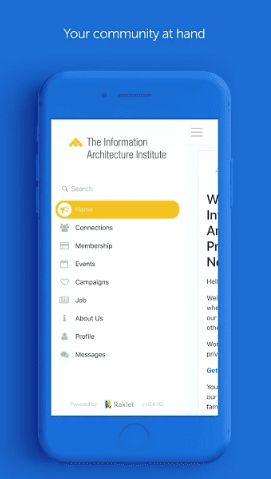
The clearest test of “branded” is the app store listing itself. ÇYDD, a Turkish nonprofit supporting students through education scholarships, publishes its community app on Google Play under its own name and logo. Members search for the organization, not for the software vendor behind it. That is the difference between a branded app and a generic membership app with your logo in a corner.
Inside an app like that, the modules do the work your website and inbox were doing before:
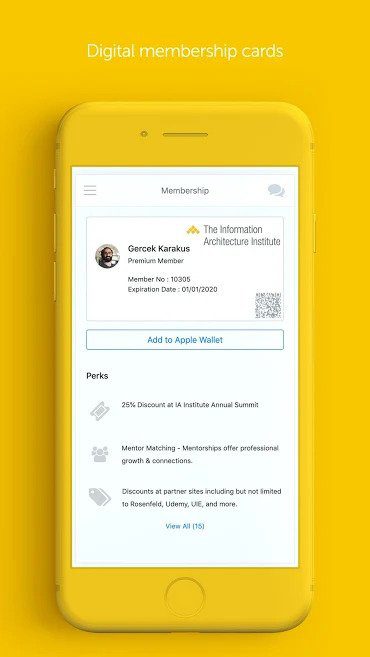
- Digital membership cards that members can add to Apple Wallet, complete with member number, expiration date, a scannable code for events, and the list of perks attached to their tier.
- Events with in-app registration and check-in, so attendance is recorded against the member record instead of a separate spreadsheet.
- Campaigns for fundraising and donation drives, reaching members through push notifications rather than competing with everything else in their email.
- A member directory and job board, which is often the single feature that keeps alumni and professional associations opening the app month after month.
Create your OWN Branded Mobile Community App with Raklet!
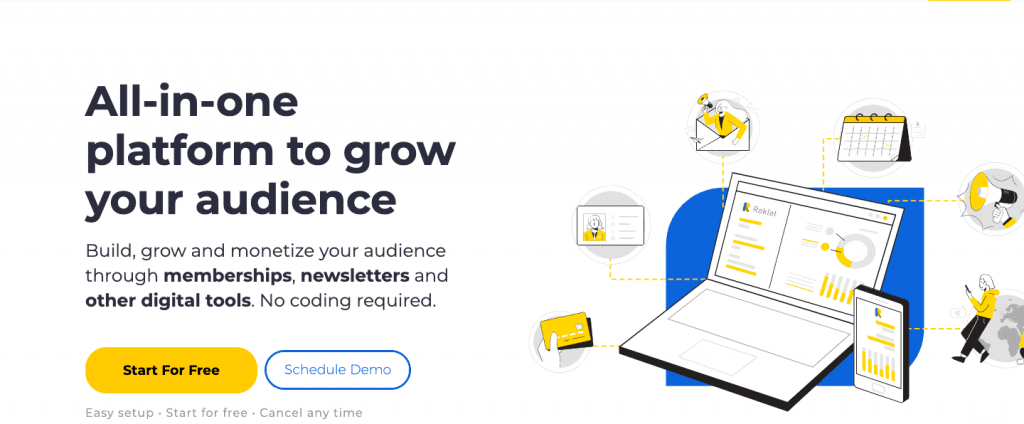
With the help of our powerful branded mobile applications, Raklet is an all-in-one membership management software that enables you to expand and engage your community. With the help of branded apps on the Apple App Store and Google Play, custom domain support, and white label solutions, your community will trust your brand more. With Raklet, you can do so much more, like notifying your community of upcoming events and reminding members to renew their memberships. You can check out our extensive features for more information.
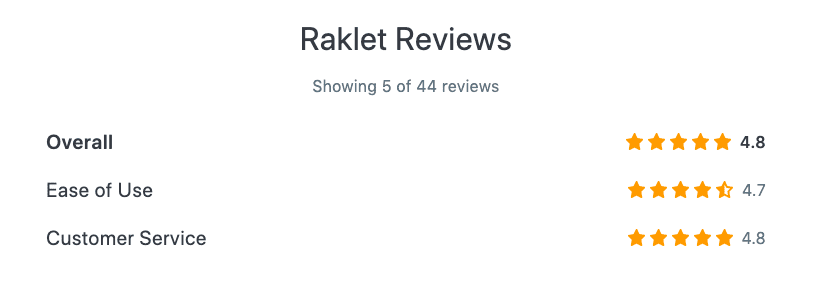
Raklet holds a rating of 4.7 out of 5 on Capterra, where reviewers consistently single out responsiveness of the support team. Ratings move over time, so treat the figure as a snapshot rather than a fixed score and read the recent reviews yourself before you decide.
You are seeing Raklet reviews posted on Capterra‘s page above, also you can get additional information from GetApp, SourceForge, and G2.
If you enjoyed this article, you can check out more articles on related topics: