
Last Updated: April 2026
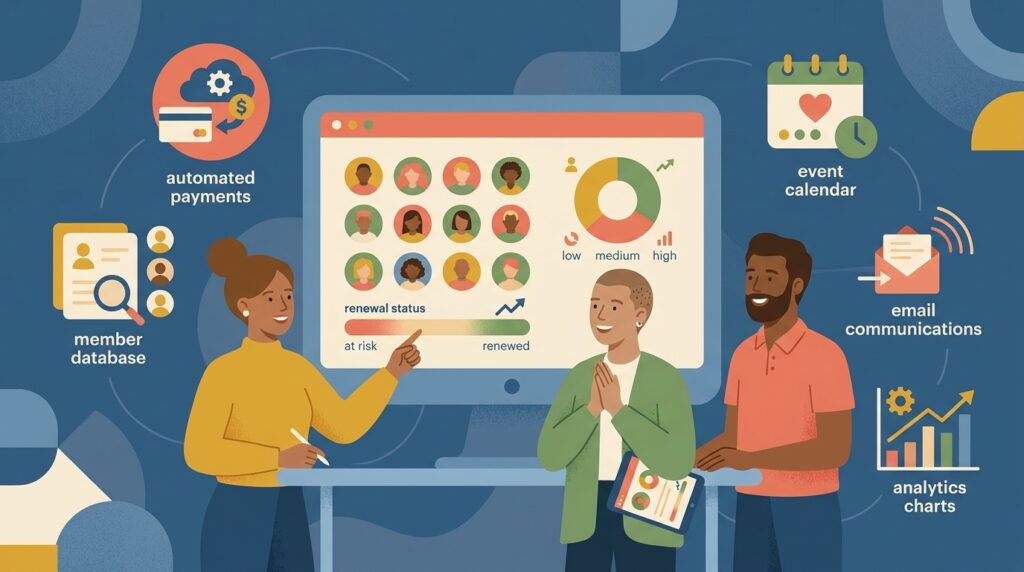
Member management software is a platform that centralizes everything an organization needs to run its membership program: a searchable member database, automated dues collection, communication tools, event management, and reporting. It replaces the patchwork of spreadsheets, email lists, and manual renewal reminders that most small organizations start with.
If you run a nonprofit, association, club, or any organization with paying or registered members, this guide covers what the software does, how it compares to CRM and association management systems, what it typically costs, and how AI is reshaping the category in 2026.
The shift is measurable: the membership management software market is projected to reach $8.08 billion by 2033, according to Straits Research. The driver is not just organizational growth: it is rising member expectations. People who pay dues increasingly expect online self-service, digital payment options, and real-time engagement, not a manual process that asks them to mail a check and wait for a PDF receipt.
For a broader look at how membership programs work beyond the software, see our full membership management guide.
Member Management Software vs. CRM vs. AMS
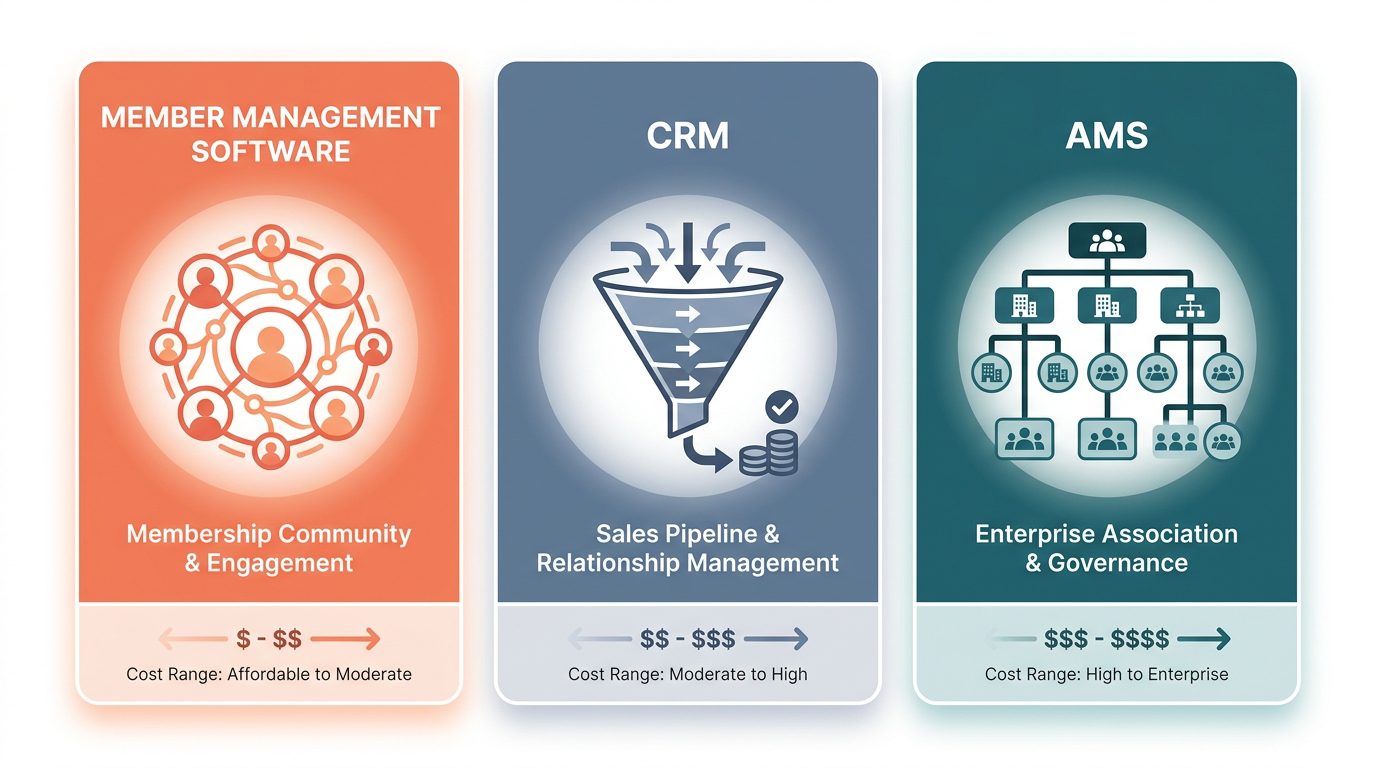
One of the most common questions organizations face is whether they need member management software, a CRM, or an association management system. The three overlap, but they solve different core problems.
MMS vs. CRM
A CRM (customer relationship management) system is built for sales teams. It tracks leads, manages pipelines, and measures conversion. Member management software is built for retention. It tracks renewals, manages tiers, and measures engagement over the lifetime of a membership.
Some organizations use both: a CRM to acquire new members and member management software to serve them afterward. But trying to force a general-purpose CRM into handling membership workflows (tiered dues, renewal cycles, member directories, event registration) typically requires expensive customization. According to MemberClicks, adapting a CRM for full membership management can cost $50,000 or more in development, plus ongoing maintenance.
MMS vs. AMS
An association management system is a superset of member management software. An AMS includes everything MMS does, plus committee management, chapter hierarchies, credentialing, continuing education tracking, and often a built-in website. Large professional associations and trade groups with complex governance structures typically need an AMS. Smaller organizations rarely need that level of complexity and are better served by a focused member management platform.
Quick Comparison
| Member Management Software | CRM | AMS | |
|---|---|---|---|
| Primary use | Manage ongoing member relationships | Track sales leads and conversions | Run complex association operations |
| Typical user | Nonprofits, clubs, small associations | Sales and marketing teams | Large professional/trade associations |
| Core focus | Retention and engagement | Acquisition and conversion | Governance, credentialing, chapters |
| Cost range | Free to $500/month | $25 to $300+/user/month | $500 to $5,000+/month |
| Complexity | Low to moderate | Moderate | High |
Key Features to Look For
Prioritize based on your organization type and size.
Member Database and Profiles
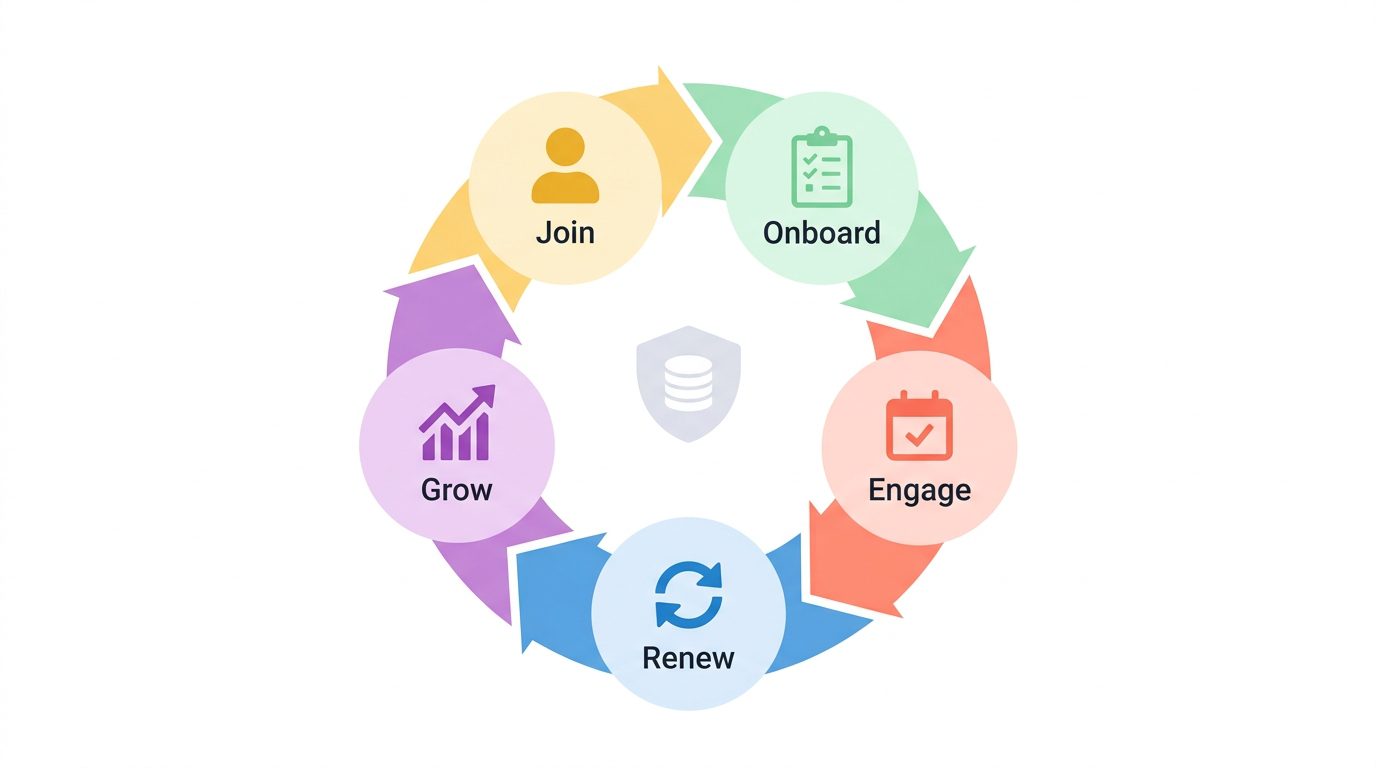
The foundation of any membership platform is a centralized, searchable database. Look for custom fields (so you can track what matters to your organization, not just name and email), segmentation (to group members by tier, location, interests, or engagement level), and a member-facing profile or directory so members can update their own information and connect with each other.
Dues and Payment Processing
Automated billing provides the fastest financial return by eliminating the dozens of hours staff spend annually chasing manual invoices and renewal follow-ups. The platform should handle multiple membership tiers with different pricing, process online payments through integrated gateways (Stripe, PayPal, or similar), generate invoices and tax receipts, and send automated renewal reminders before memberships lapse.
Communication Tools
Built-in email campaigns, announcements, and newsletter tools let you reach members without switching to a separate platform. The most useful systems support segmented sends (different messages to different member groups) and track click-through rates and renewal actions to identify which messages land. Note that open rates have become largely unreliable since Apple’s Mail Privacy Protection began pre-loading emails by default.
Event Management
If your organization runs events, look for registration, ticketing, attendance tracking, and the ability to apply automatic member discounts. Integrated event management means attendee data flows back into member profiles, giving you a complete picture of engagement.
Reporting and Analytics
At minimum, you need retention rate tracking, revenue reports, and engagement dashboards. According to the 2025 Membership Marketing Benchmarking Report by Marketing General Inc., the median association renewal rate is 84%, with first-year members renewing at just 74%. Without those numbers, you cannot accurately forecast dues revenue or identify which member segments are at risk of lapsing.
Integrations
No membership platform operates in isolation. Check for integrations with your accounting software (QuickBooks, Xero), email marketing tools (Mailchimp, Constant Contact), your website or CMS, and any industry-specific tools you already use. API access matters if you anticipate custom workflows down the line.
Data Security
Your member database contains personal information, payment details, and sometimes sensitive data like health records (for fitness studios) or professional credentials. Look for encryption at rest and in transit, role-based access controls, and compliance with relevant regulations (GDPR for European members, CCPA for California residents). Ask vendors specifically about their security certifications and data backup practices.
Who Needs Member Management Software?
The software serves any organization that maintains a roster of members, but the specific needs vary by vertical.
Professional Associations and Trade Groups
These organizations typically need complex membership tiers (individual, organizational, student, retired), credentialing or certification tracking, continuing education management, and chapter or committee structures. They often outgrow basic member management software and move to a full AMS, but a focused MMS platform works well for associations under 5,000 members.
Nonprofits and Charities
In our experience working with nonprofits on Raklet, the feature requests that come up most consistently are donation tracking integration and tax receipt automation, not the membership database itself, which tends to work out of the box. Nonprofits need member management that integrates with donor tracking and fundraising. Volunteer management, grant compliance reporting, and automated tax receipts are common requirements. Budget is often the primary constraint, which makes free or low-cost platforms especially important for this vertical. For a detailed comparison of platforms built for this space, see our guide to membership management software for nonprofits.
Clubs and Social Organizations
Social clubs, hobby groups, and community organizations tend to be event-heavy with simpler membership structures. They need easy online registration, event management, and a member directory. Budget-consciousness is common here too, so platforms with generous free tiers tend to be the best fit.
Religious Organizations
Churches, synagogues, mosques, and other religious organizations need congregation management, tithing and donation tracking, small-group coordination, and communication tools. The workflows are distinct from standard membership management, which is why some organizations in this space prefer specialized church management software.
Fitness and Wellness Studios
Gyms, yoga studios, martial arts schools, and wellness centers need class scheduling, check-in systems, recurring billing, and sometimes waivers and health forms. High member volume with frequent interactions (daily check-ins vs. annual renewals) makes automation especially valuable here.
Across all these verticals, the underlying challenge is the same: keeping members engaged enough to renew. The 2025 MGI benchmarking report found that 45% of associations reported membership growth, down from 47% the prior year, with the top reasons for non-renewal being lack of engagement (47%), perceived lack of value (32%), and simply forgetting to renew (29%). Good member management software addresses all three through member engagement strategies built into the platform and automated renewal sequences that trigger emails based on when a member’s expiration date approaches.
How Much Does Member Management Software Cost?
Pricing varies widely based on your member count, the features you need, and whether you want a hosted platform or a self-managed solution.
Free and Low-Cost Options
Raklet offers a generous free tier that includes member management, events, payment collection, and a custom website, making it a strong starting point for organizations that want a hosted platform without upfront cost. Zeffy provides 100% free membership management for nonprofits, funded by optional donor tips rather than platform fees. For organizations with technical capacity, CiviCRM is an open-source option used by over 10,000 nonprofits, and Admidio serves smaller groups with basic needs.
The tradeoff with open-source tools is IT overhead: you need someone to install, maintain, and update the software. Hosted platforms like Raklet and Zeffy avoid that tradeoff entirely.
Entry-Level Plans ($10 to $100/month)
Platforms like WildApricot (free tier up to 50 contacts, paid plans from $60/month), Join It, and MemberDay serve small organizations under 500 members. These plans typically include core features (database, payments, basic communications) but may limit integrations, customization, or support.
Mid-Market Platforms ($100 to $500/month)
GrowthZone, MemberClicks, and Raklet’s paid tiers serve growing organizations with 500 to 5,000 members. At this level, you get advanced reporting, API access, custom branding, and dedicated support. Pricing often scales with member count, so ask about per-member fees and how they change as you grow.
Enterprise Solutions ($500 to $2,000+/month)
Fonteva (built on Salesforce), iMIS, and Momentive serve large associations with 10,000+ members. These platforms offer deep customization, multi-chapter management, and enterprise-grade integrations. Implementation typically requires a dedicated onboarding process and sometimes third-party consultants.
When budgeting, keep in mind that 49% of associations raised their dues in the past year (MGI 2025). Software costs are part of a broader conversation about the value your organization delivers to members and what it costs to deliver that value efficiently.
How AI Is Changing Member Management Software in 2026
According to the 2025 MGI Membership Marketing Benchmarking Report, 31% of associations are now using or implementing AI, up from 18% the prior year. Another 49% are open to exploring it.
What AI Actually Does Today
The most practical AI features in current membership platforms include automated renewal reminders with personalized timing (sending reminders when individual members are most likely to respond, not on a fixed schedule), predictive churn detection (flagging members showing signs of disengagement before they lapse), smart segmentation for communications (grouping members by behavior patterns rather than just demographic fields), AI-drafted email campaigns and newsletters, and chatbot-based member support for common questions. The primary use case across associations is content creation, followed by data analysis and SEO.
What to Ask Vendors About AI
When evaluating platforms, ask specific questions: Is AI included in the base plan or an add-on? What data does the AI train on, and is it your data or aggregated across customers? Can you audit or override AI decisions? Is there a human fallback for member-facing AI like chatbots and auto-responses? These questions separate genuine AI capability from marketing claims.
Where AI Falls Short
AI handles patterns well, but it cannot handle context. A platform can auto-segment members who haven’t logged in recently, but it cannot know that a long-tenured member just retired and needs a personal conversation about transitioning to an alumni tier. Organizations that automate every touchpoint risk losing the relationship dimension that drives renewals. The 84% median renewal rate is still built on perceived value and personal connection. AI is most effective when it handles administrative repetition (scheduling, reminder sequencing, data cleanup) and frees staff to focus on the interactions that actually move members to renew.
How to Choose the Right Software
All-in-One vs. Best-of-Breed
Before evaluating specific platforms, make one architectural decision first: do you want a single platform that handles membership, email, events, and payments together, or a best-of-breed stack where you connect a membership database to specialized tools like Mailchimp and Eventbrite? All-in-one reduces per-tool cost and eliminates data sync problems between systems. A stack gives you deeper functionality in each tool but means maintaining integrations and reconciling data across platforms. Most organizations under 5,000 members do better with an all-in-one.
Start with Your Organization’s Needs
Before evaluating platforms, document your organization type, current member count, expected growth over the next 2 to 3 years, budget constraints, and the specific workflows you need to automate first. The answers narrow your options significantly: a 200-member hobby club and a 5,000-member professional association have fundamentally different requirements.
Evaluate Must-Have vs. Nice-to-Have Features
Map your needs to the feature categories above. Every organization needs a member database and payment processing. Not every organization needs event management, continuing education tracking, or API integrations. Be honest about what you will actually use in the first year.
Check Integration Compatibility
If you already use QuickBooks for accounting, Mailchimp for email, or WordPress for your website, confirm that the platform integrates with those tools before committing. Switching your entire toolchain to accommodate a new membership platform is rarely worth the disruption.
Test Before You Commit
Most platforms offer free trials or live demos. Use the trial to test your actual workflows, not just browse the interface. Import a sample of your real member data, set up a test membership tier with pricing, and run through a renewal cycle. During the demo, ask the sales team to show you how a member upgrades their tier mid-cycle. This is often where platforms break down.
One thing most guides skip: setup time is not the same as go-live time. After uploading your member list, you still need to map custom fields, configure payment gateway settings, and build your communication templates. Budget at least one to two weeks for this, even on simpler platforms.
A second overlooked step is data cleaning. The biggest cause of failed implementations is not the software: it is importing dirty data. Before you demo anything, standardize your existing spreadsheets, merge duplicate records, and fix inconsistent fields. Software cannot clean bad data for you; it just automates the mess faster.
One final consideration: avoid platforms that charge per-member fees without a cap if you expect rapid growth. A pricing model that works at 500 members can become prohibitively expensive at 5,000.
Frequently Asked Questions
Is member management software worth it for small organizations?
Yes, especially with free tiers available from platforms like Raklet and Zeffy. Even a 50-member organization benefits from automated renewals and a centralized database. The question is not whether you need it, but how much you should spend. Most small organizations should start with a free plan and upgrade only when they hit a specific limitation.
Can I use a spreadsheet instead of member management software?
You can, and many organizations start that way. Spreadsheets work until you need to automate renewals, process online payments, send targeted communications, or let members update their own profiles. Most organizations outgrow spreadsheets between 50 and 200 members.
What is the difference between member management software and a membership website builder?
A membership website builder (like WordPress with a membership plugin) focuses on gating content behind a login. Member management software focuses on managing the member relationship: dues, communications, events, and engagement tracking. Some platforms, including Raklet, combine both: a member-facing website with full management capabilities behind it.
How long does it take to set up member management software?
Simple platforms can be configured in a few hours. Importing an existing member list, setting up payment processing, and customizing your branding typically takes 1 to 3 days for small organizations. Enterprise platforms with complex tier structures, integrations, and data migrations may take 2 to 8 weeks.
What should I budget for membership management software?
For organizations under 500 members, start with a free or entry-level plan ($0 to $100/month). Growing organizations with 500 to 5,000 members should budget $100 to $500/month. Large associations should budget $500 to $2,000+/month plus implementation costs. Factor in staff time for setup and ongoing administration regardless of the platform price.
Manage Your Members More Effectively
Raklet is an all-in-one membership management platform with a generous free tier, built-in payment processing, event management, and a custom website for your organization. Whether you are moving off spreadsheets or replacing an outdated system, you can explore Raklet’s membership management features or get in touch to see how it fits your organization.